
Tutorial: Generate Environment
Create a walkable environment in minutes with World Labs generation inside Frame.
This feature is an experimental feature and may cause performance issues if applied to your Frame. AI Generated Environments currently do not function when viewed in VR headsets. Paid-tier feature. Use World Labs in Frame to generate a 3D environment from an image or prompt — stunning meeting spaces without the long 3D build time.
Frame Sidebar › Frame Settings › Environment
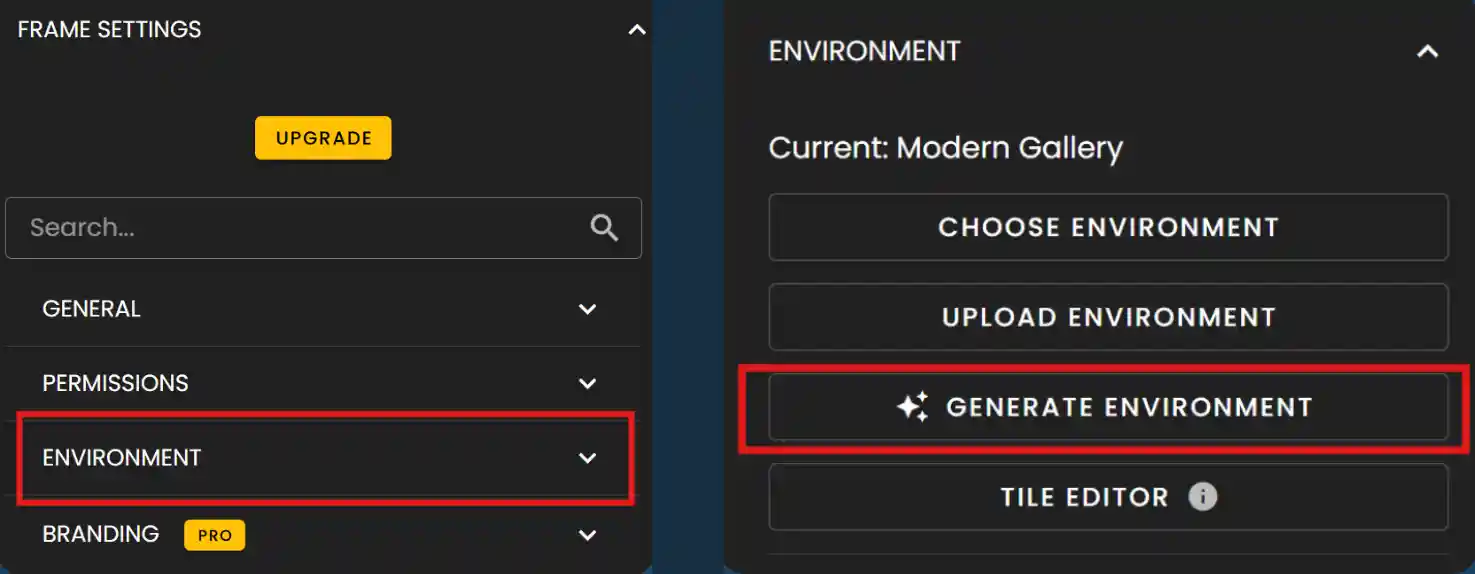
Step 1: Click the three lines (menu) in the upper-right corner of Frame to open the Sidebar. Open Frame Settings, then choose Environment. From there you can start Generate Environment when you are ready.
- •Locate Environment in settings; red highlights in the screenshots show the menu path.
- •Use Generate Environment to open the World Labs generator.
Open the Sidebar and settings
The first screenshot shows where to open the menu and move toward Environment.
Environment and Generate Environment
The second screenshot calls out Environment and Generate Environment so you can confirm the same entries in your UI.
Generate Environment (Unavailable on Trial)
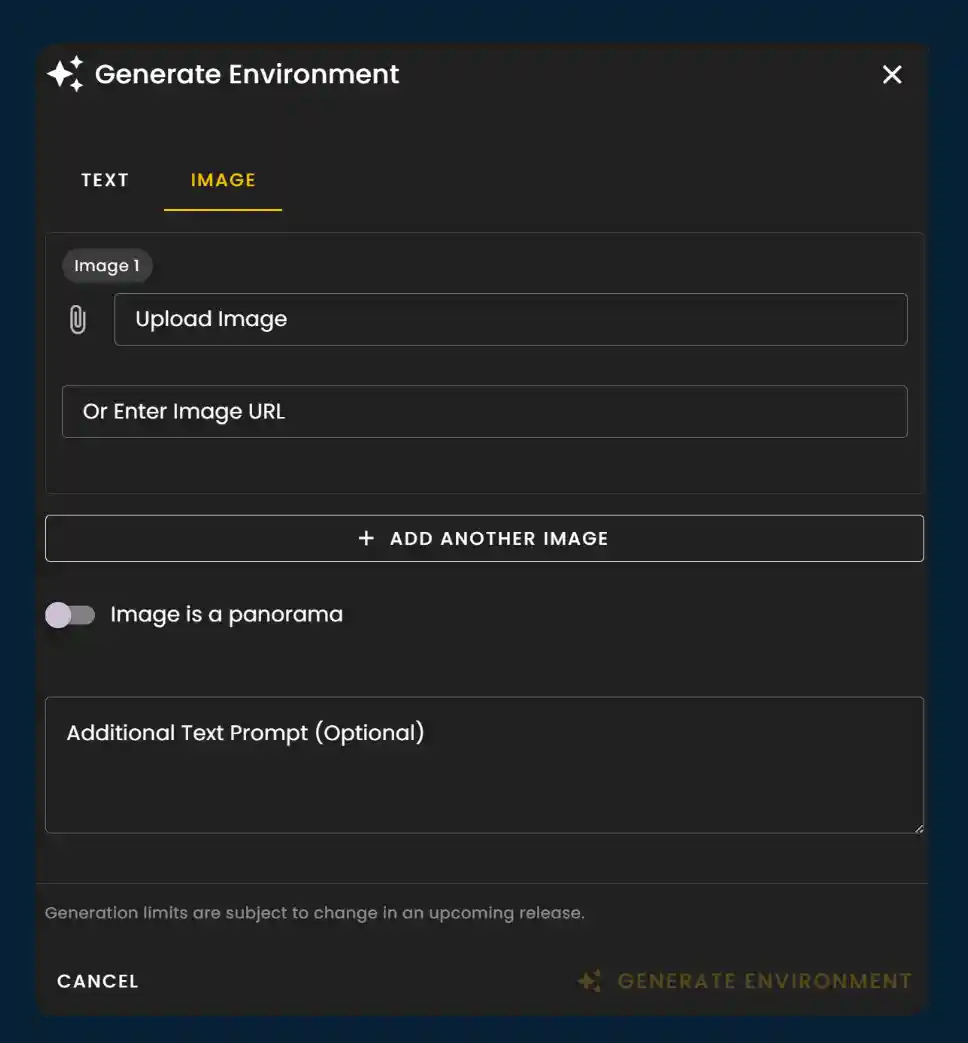
In the Generate Environment dialog, choose the Text tab to describe the world you want, or the Image tab to upload a reference. Add your prompt or image, then start generation. Processing may take several minutes and can take up to about fifteen minutes for complex requests.
- •Text: describe style, layout, and mood so the model can infer geometry and materials.
- •Image: upload a reference to steer overall look and composition.
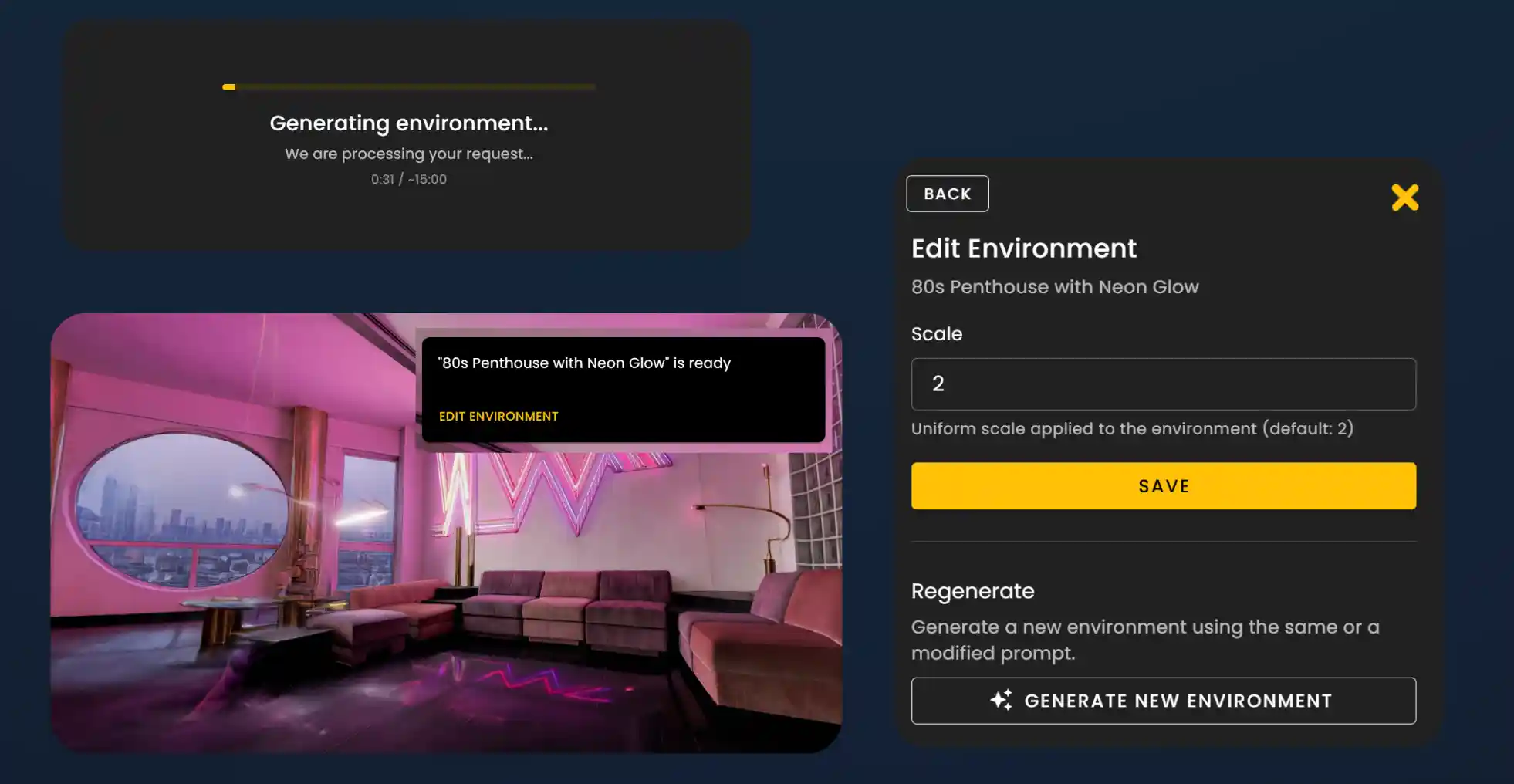
- •Keep the window open while status shows generating; when it finishes, review the result in Frame.
- •If you need to resize the result, use Edit Environment (scale), then Save to apply.
Generator, progress, and result
The overview below shows the Text/Image flow, progress, Edit Environment, and a sample generated space.
Unavailable on Trial
Generate Environment is unavailable on Trial. Upgrade to Basic, Plus, or Pro to use this feature.
Ready to start creating?
Generate an environment, save it to your Frame, then refine with assets, Tile Maps, or the Action Editor. Browse use cases on the site for inspiration: https://learn.framevr.io/use-cases
Ready to build with Frame?
Join thousands of creators who are building amazing 3D experiences with Frame VR.
For technical assistance, please contact us at support@framevr.io or reach out via our Discord community.
For general inquiries or feedback about Frame, please email hello@framevr.io