
Web Browser
Embed a live browser window directly within your virtual environment
This is an interactive browser that streams into Frame with spatial audio support. It's great for general web browsing, watching videos, and more.
The Creation Menu button in the toolbar
Click the Creation Menu button in the toolbar.
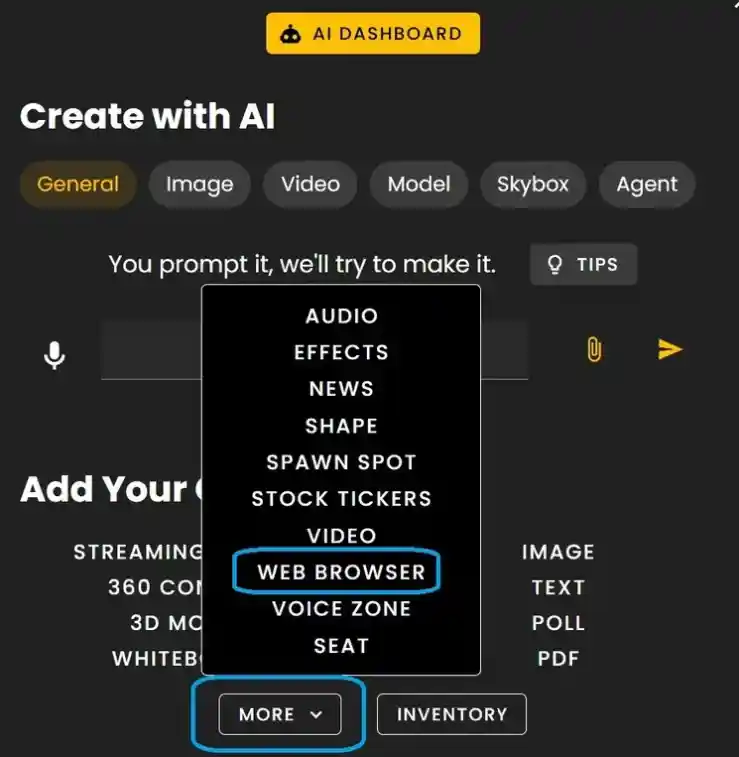
Click 'Web Browser' under Add Your Own (found under MORE).
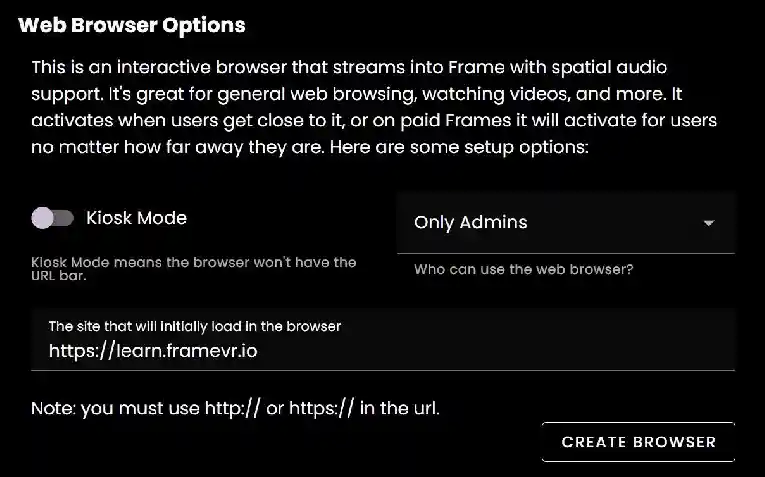
Web Browser Options
Before the browser is placed you'll need to configure it for the web page you want to use.
- •Kiosk Mode - removes the browser URL bar so users cannot change the page.
- •Set the permission role for users who can interact with the web browser.
- •Default setting is Only Admins.
- •Enter the url of the page you want to use.
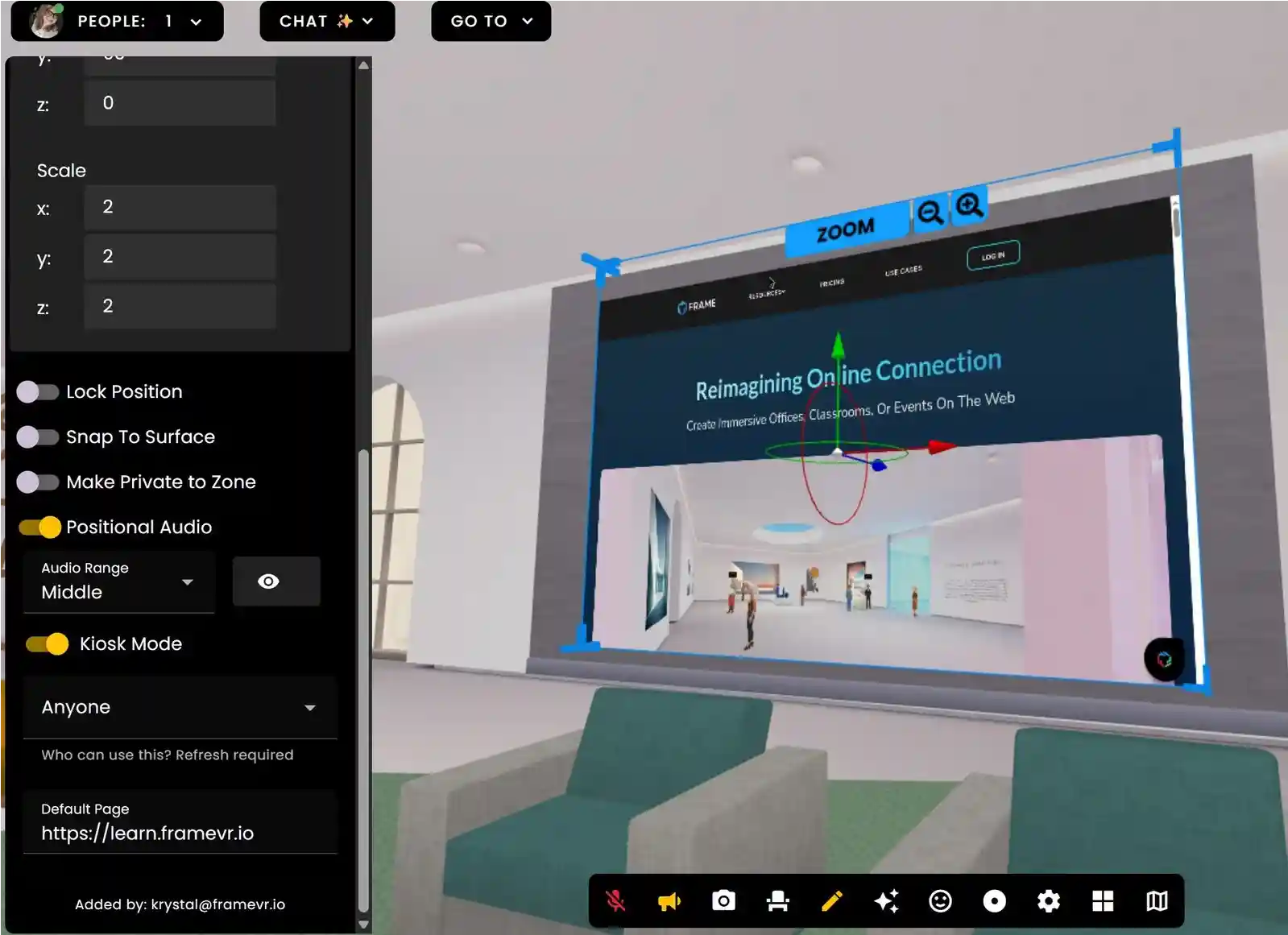
Edit Mode Settings
Go into Edit Mode and click the browser to:
- •Make Private to Zone
- •Set positional audio
- •Update Kiosk settings.
- •Update Permission level
Remember: When everyone in the Frame has left, after about 15 minutes the browser session will expire and all browsing history/data/cookies purged.
Ready to build with Frame?
Join thousands of creators who are building amazing 3D experiences with Frame VR.
For technical assistance, please contact us at support@framevr.io or reach out via our Discord community.
For general inquiries or feedback about Frame, please email hello@framevr.io