
Videos
Add and play videos as assets in your Frame for presentations or displays
Videos can be added to Frame to enhance your Frame experience. There are a variety of settings that can be enabled to customize the videos behavior.
The Creation Menu button in the toolbar
Click the Creation Menu button in the toolbar.
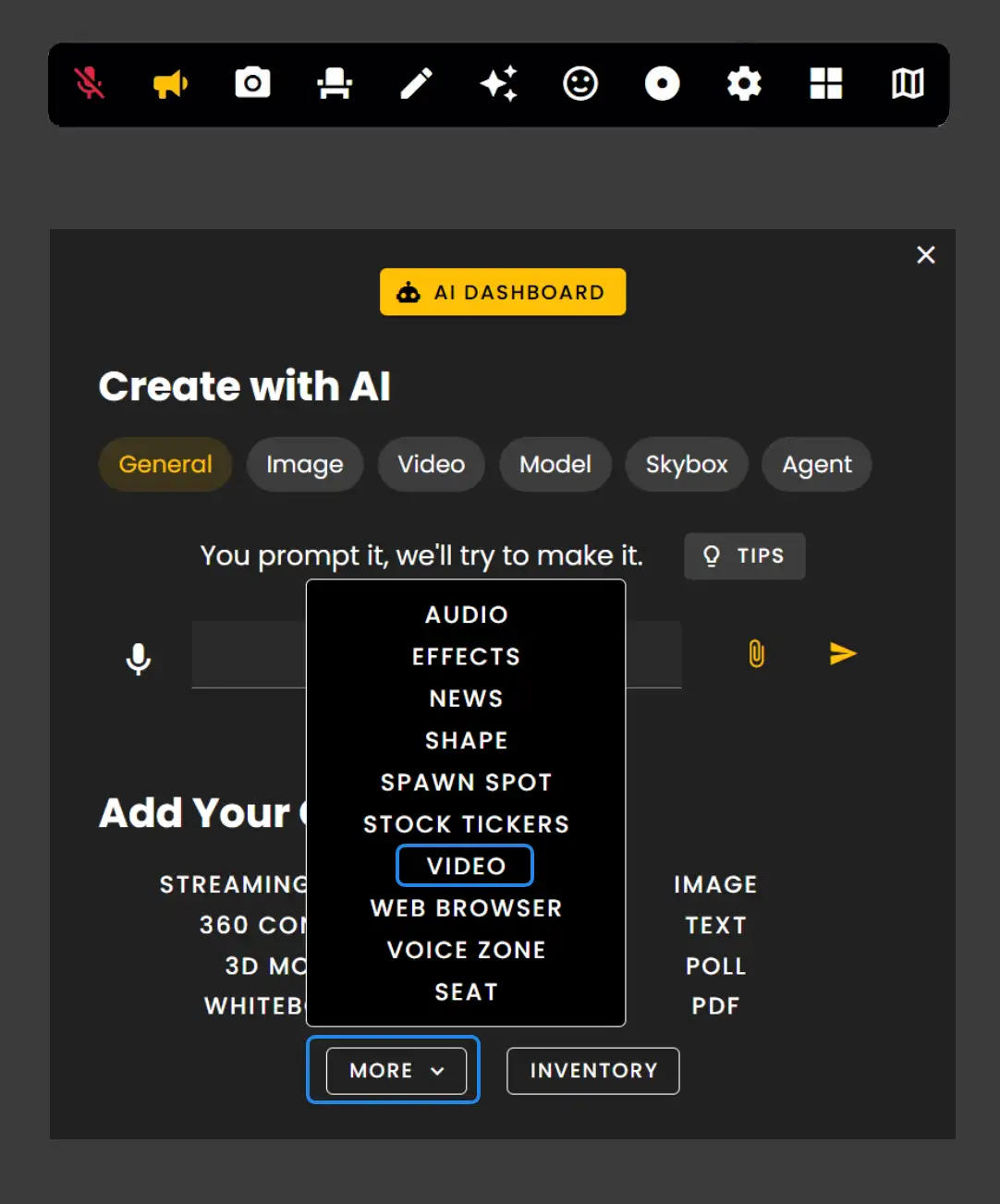
Click 'Video' under Add Your Own.
- •You can upload .mp4, .mov, .avi files as video assets.
- •File Size is 50 MB.
- •Video Quantity Limit is three (3) videos.
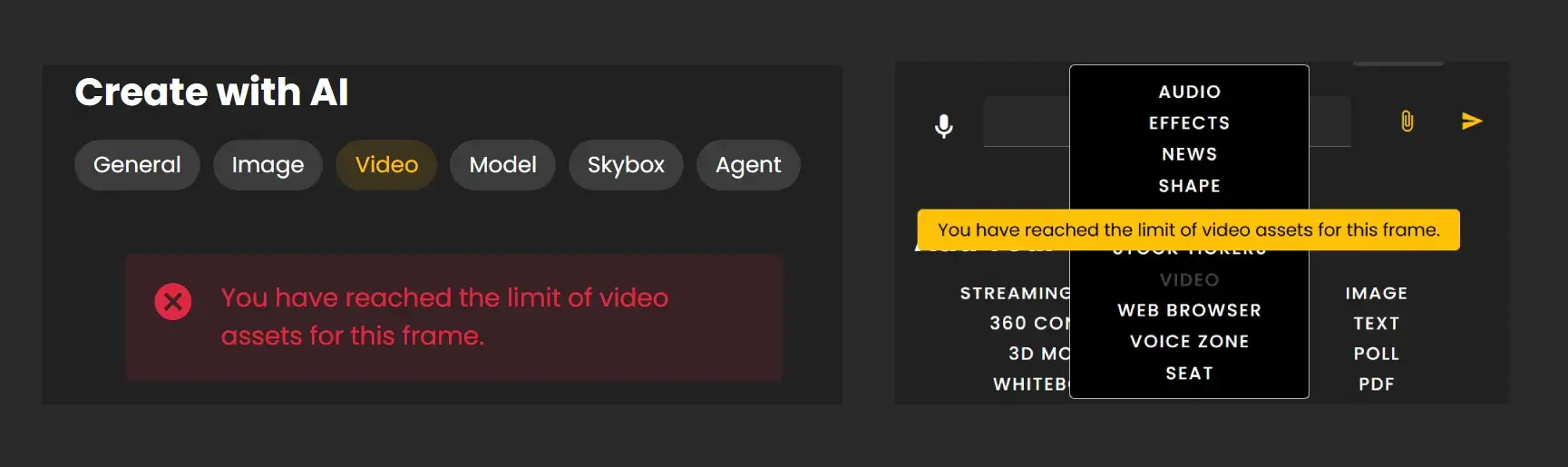
This goes for uploaded videos and videos generated by AI in Frame. Video buttons will gray out and messages present when reaching video capacity.
Plus & Pro Subscribers
If you are a Plus or Pro subscriber you can contact us at hello@framevr.io to request video limit and size increases.
Video Settings
Users that have 'interact permissions' will be able to press pause/play on the video.
- •Playback is synchronized by default, so pressing pause or play will pause or play it for everyone in the Frame.
- •You can disable sync in the video's edit menu.
- •You can also make videos Zoomable.
- •Update Positional audio
- •Enable Loop
- •Support videos with Green Screen.
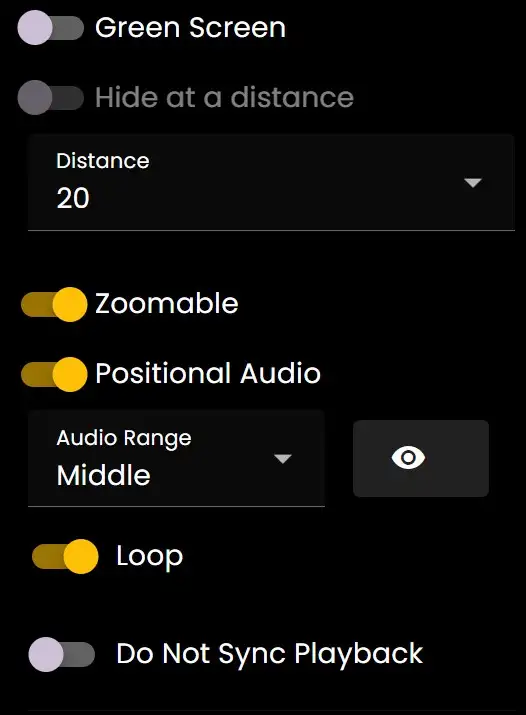
Remember: Videos are synced by default. Use the edit menu settings to customize playback behavior for your specific needs.
Ready to build with Frame?
Join thousands of creators who are building amazing 3D experiences with Frame VR.
For technical assistance, please contact us at support@framevr.io or reach out via our Discord community.
For general inquiries or feedback about Frame, please email hello@framevr.io