
User Permissions & Roles
Control what users can do in your space with Frame's permissions settings
This tutorial goes over how to restrict or give access to certain features for users joining your Frame.
Frame Sidebar > Permissions
The top section of this menu is where you will find options to password protect your Frame as well as decide if Guests can Connect to your Frame.
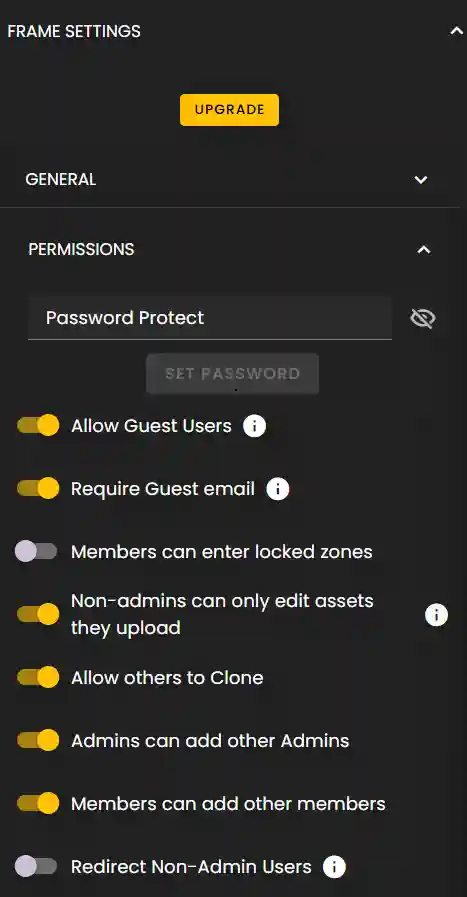
You'll also find permission toggles for member and admin specific actions.
- •Guests are users without Frame accounts.
- •You can require guest email to help you understand who is connecting to your Frame. If you decide to allow them.
Roles
As you scroll down you'll find a Roles section where you can add users to Roles: Members and Admins.
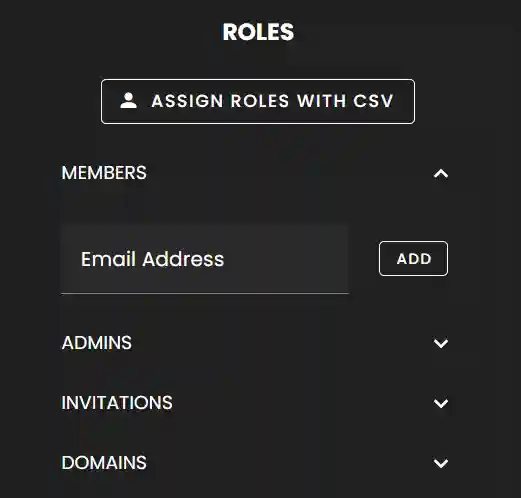
Permissions, in the next section is where you will setup what Roles can perform certain actions.
Add emails to Invitations to send invites to Frame.
- •This helps get users into your Frame faster so that they don't have to sign up prior to joining you.
Permissions
Many options are present under permissions that control the option's visibility within Frame.
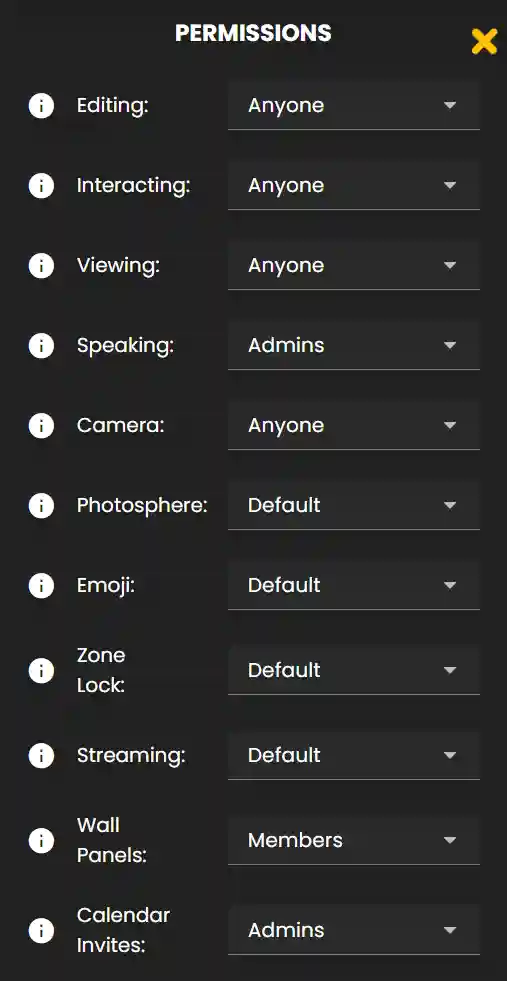
Be sure to pay attention to the tooltips beside each option as they explain what exactly they control.
For a detailed tutorial on permissions please watch the video at the top of this tutorial.
Ready to build with Frame?
Join thousands of creators who are building amazing 3D experiences with Frame VR.
For technical assistance, please contact us at support@framevr.io or reach out via our Discord community.
For general inquiries or feedback about Frame, please email hello@framevr.io