
Streaming Screen
Share your screen with others directly inside Frame for collaboration
Need to quickly share your webcam or screen? You can do it with one asset; Streaming Screens! Share your Chrome Tab, Window or your Entire Screen. Share with audio when sharing through the Chrome tab or your entire screen with system audio.
The Creation Menu button in the toolbar
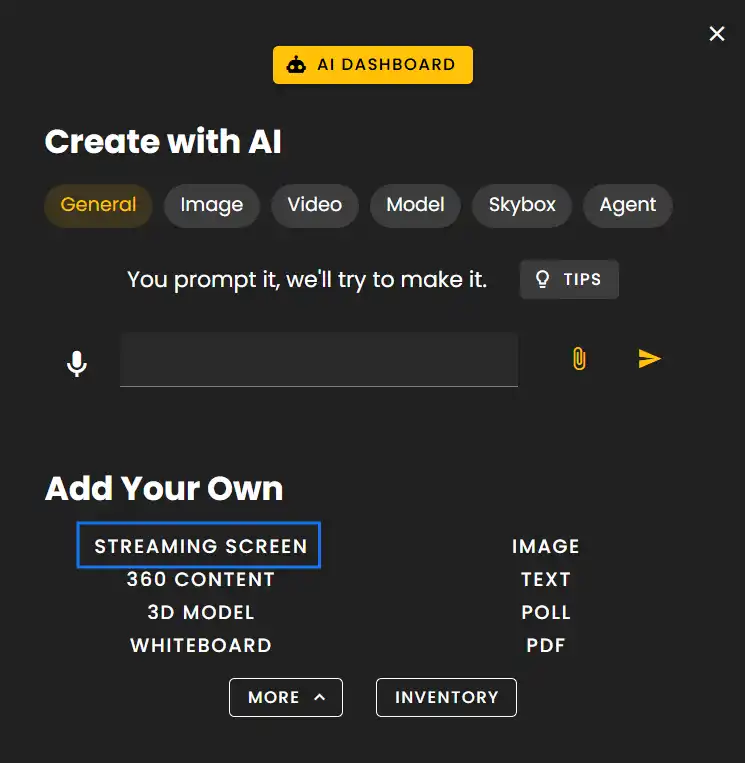
Click the Creation Menu button in the toolbar. Click 'Streaming Screen' under Add Your Own.
NOTE
There is not a limit to how many screens you can add but it is good to note that many active streaming screens can negatively impact performance.
Customized Settings
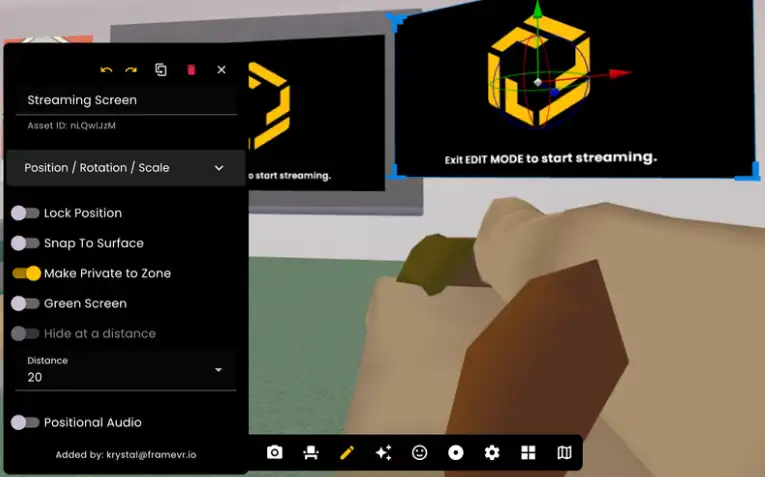
Customized settings can be applied to Streaming Screens while in Edit Mode:
- •Lock Position locks the screen in its current placement.
- •Use Snap to Surface to easily place screens on walls.
- •Make Private to Zone makes the screen only visible while inside voice zones.
- •Enable Green Screen while sharing webcam with custom backgrounds.
- •Positional Audio to help control spatial audio via distance.
Ready to build with Frame?
Join thousands of creators who are building amazing 3D experiences with Frame VR.
For technical assistance, please contact us at support@framevr.io or reach out via our Discord community.
For general inquiries or feedback about Frame, please email hello@framevr.io