
Spawn Spots
Configure spawn spots where participants appear in your Frame
Spawn Spots are a great way to send users exactly where they need to go in your Frame. Want to easily transition users around your Frame? Use Spot Links to send them to specific areas with just a click.
The Creation Menu button in the toolbar
Click the Creation Menu button in the toolbar.
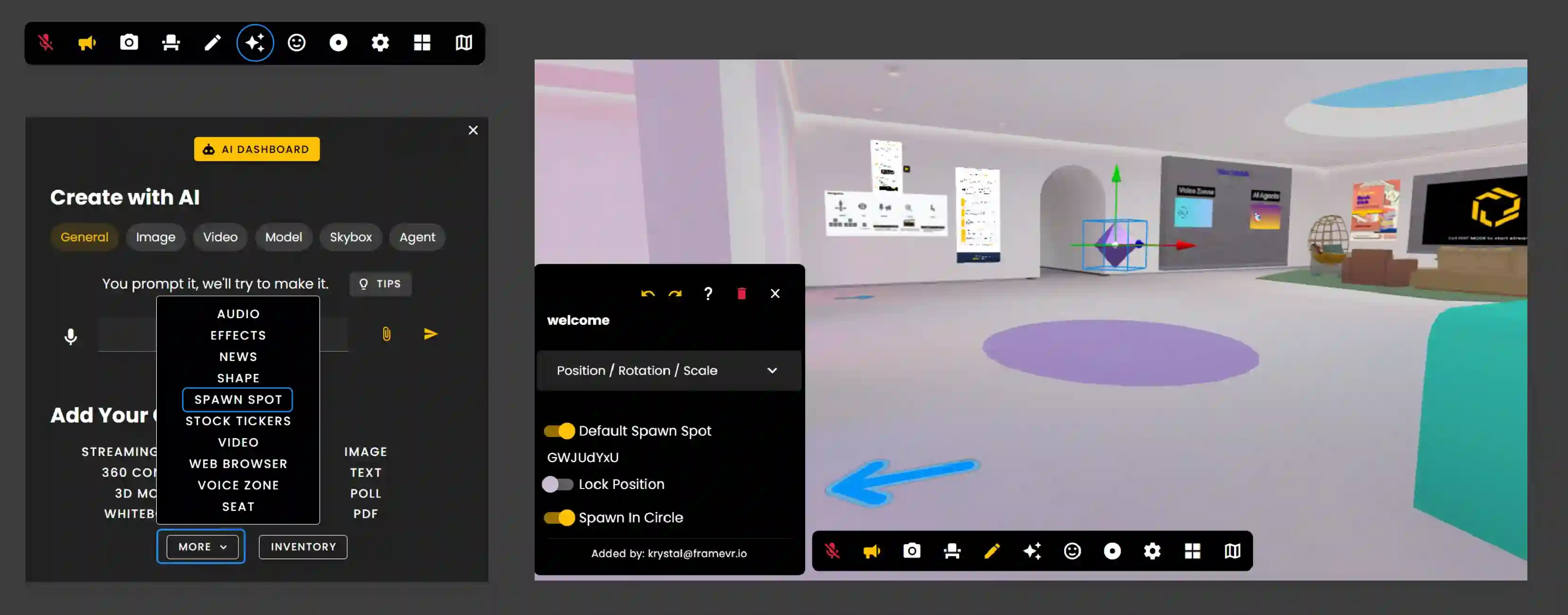
Click 'Spawn Spot' under Add Your Own and More.
Once the Spawn Spot is placed, go into Edit Mode and then click the Spawn Spot.
Placement and Settings
Click and Drag the Spawn Spot to the area of your choosing.
- •If you want this to be the main area where you want your users to be in when they connect make this your 'Default Spawn Spot'.
- •The default shape will show you the direction users will face when spawning into that area.
- •For reference, the shape is like an arrow pointing in the direction the user will face.
- •When using 'Spawn Circle' users will spawn within the area of the circle.
Spot Links
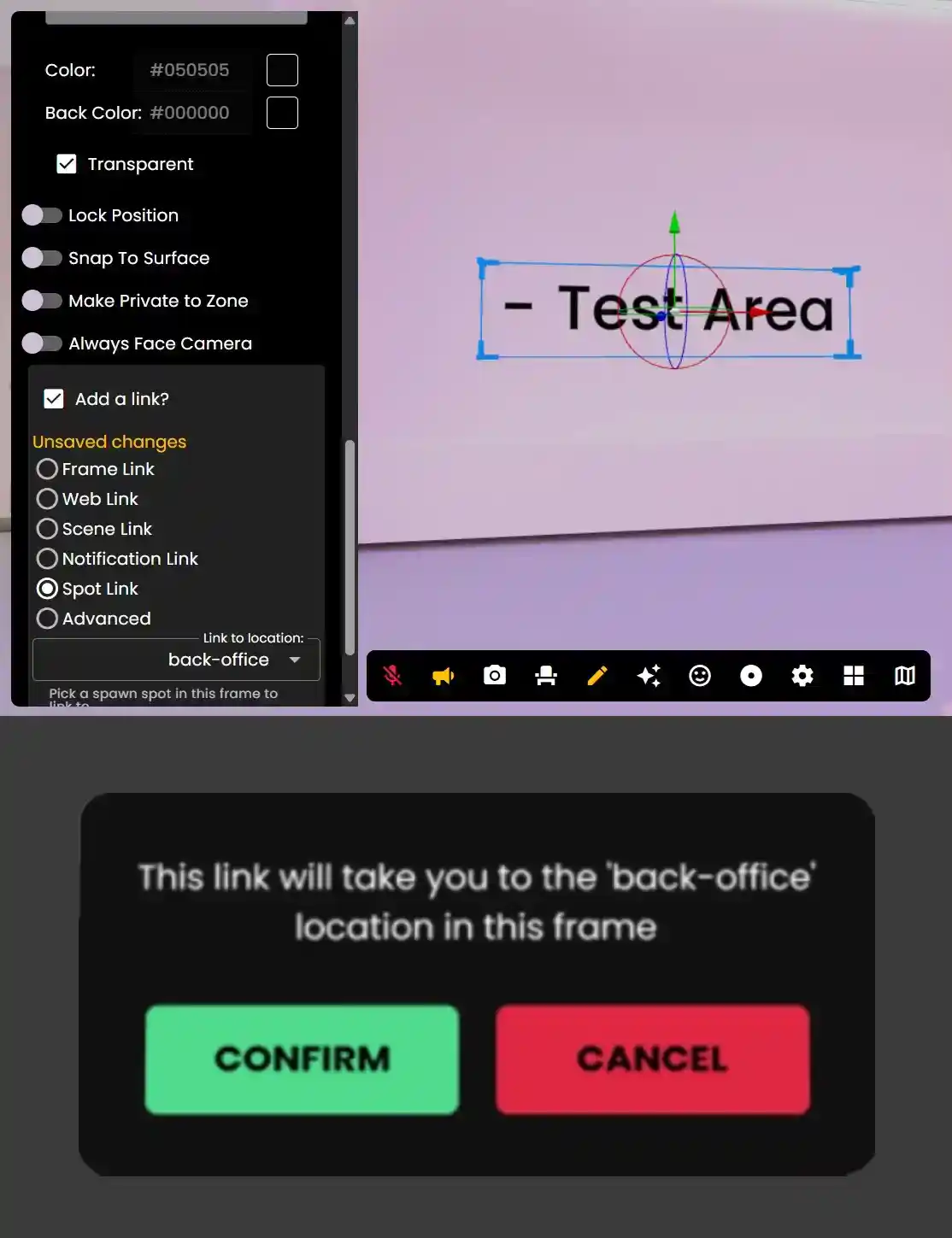
You can also make spawn spots the destination for 'spot links', so that you can make buttons that take users to a certain spawn spot!
- •Create a few spawn spots in your Frame
- •In edit mode, select an asset like an Image or a Text Label.
- •Find the 'add link' checkbox
- •Pick 'Spot Link' as the link type (and look at the other cool ones!)
- •Choose one of your Spawn Spots from the dropdown.
- •Turn off Edit Mode.
- •Click on your asset you just put the link on to be sent to the set spawn spot.
Remember: Use spawn spots to control where users enter your Frame, and combine with Spot Links to create interactive navigation.
Ready to build with Frame?
Join thousands of creators who are building amazing 3D experiences with Frame VR.
For technical assistance, please contact us at support@framevr.io or reach out via our Discord community.
For general inquiries or feedback about Frame, please email hello@framevr.io