
Signing Up
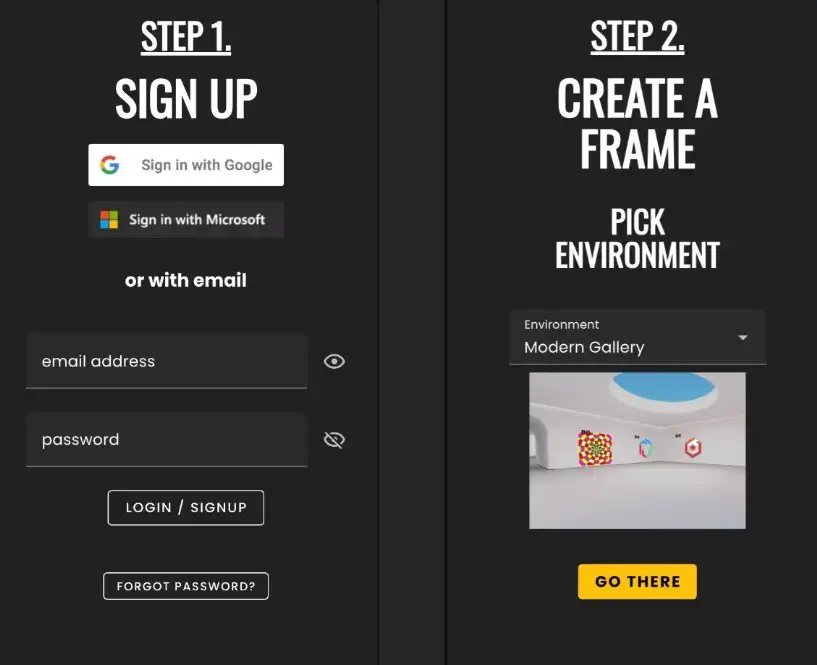
Register in 2 simple steps and create your first Frame
To start using Frame, you'll first need to sign up for an account. There are multiple areas you can do so, and this guide will walk you through the complete process from account creation to setting up your first Frame environment.
Signing Up for an Account
To start using Frame, you'll first need to sign up for an account. There are multiple areas you can do so:
- •@ Frame - AI Powered Meetings to Sign Up + Create a Frame.
- •Frame Home
- •Frame Sidebar
Sign up with Google, Microsoft, or an Email/Password combo. You'll need to verify your email address to actually sign in.
Create a Frame Name
Important Information
This is very important as you cannot change the name once its created.
- •Frame Name is used to create the URL of your Frame. Ex: https://framevr.io/frame-tutorial
- •'frame-tutorial' is the Frame Name.
Pick an environment to suit your needs:
- •This can be changed at will so no pressure in choosing an environment.
- •More on Frame Environments here.
Pick your Subscription Tier; Trial, Basic, Plus & Pro
- •It may be best to start with a Trial Frame while you try us out. You can upgrade at any time.
- •Frame Pricing Information can be found here.
Final Step
Click "New Frame" and you will be redirected to the frame url with the name you chose.
Ready to build with Frame?
Join thousands of creators who are building amazing 3D experiences with Frame VR.
For technical assistance, please contact us at support@framevr.io or reach out via our Discord community.
For general inquiries or feedback about Frame, please email hello@framevr.io