
Quick Interface
Access Frame through a lightweight portal for resource-heavy Frames or mobile devices
Quick is a lightweight portal into Frame, it can be a useful method to access resource-heavy Frames or access Frame without navigating the 3D space. Quick is performance friendly and can be used to great effect on Mobile devices.
Access
To access your frame through Quick, simply add "quick." to the beginning of the URL.
For example: Change framevr.io/yourframe to quick.framevr.io/yourframe
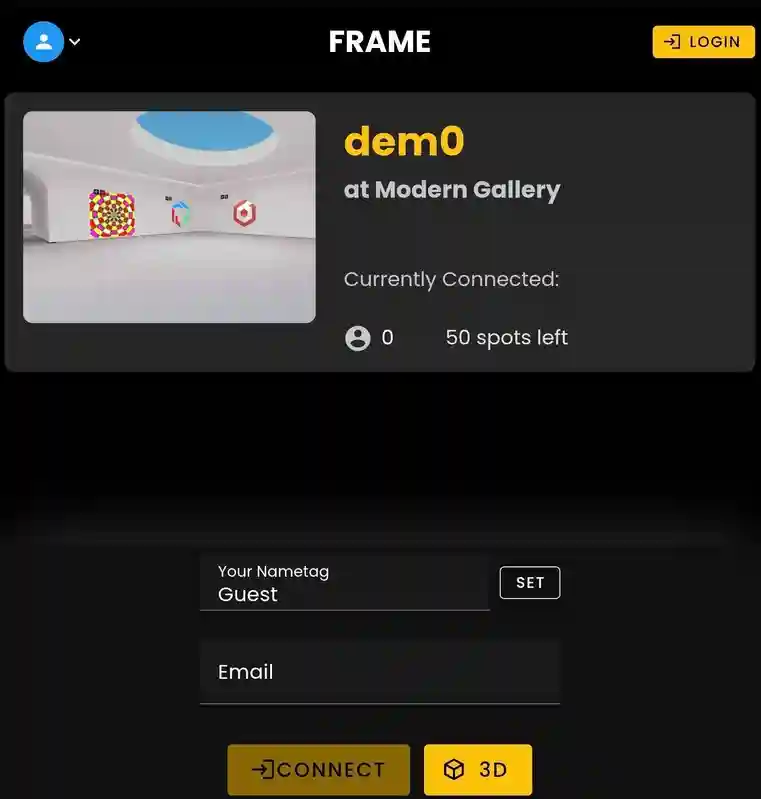
Starting from the Landing page the user can choose to:
- •Login to their account.
- •Change their Nametag.
- •Connect to the Frame.
A Preview for the currently linked Frame will be present. If the user would still like to access the 3D space for that Frame, the 3D button will redirect the user there instead.
Voice Zones & Users
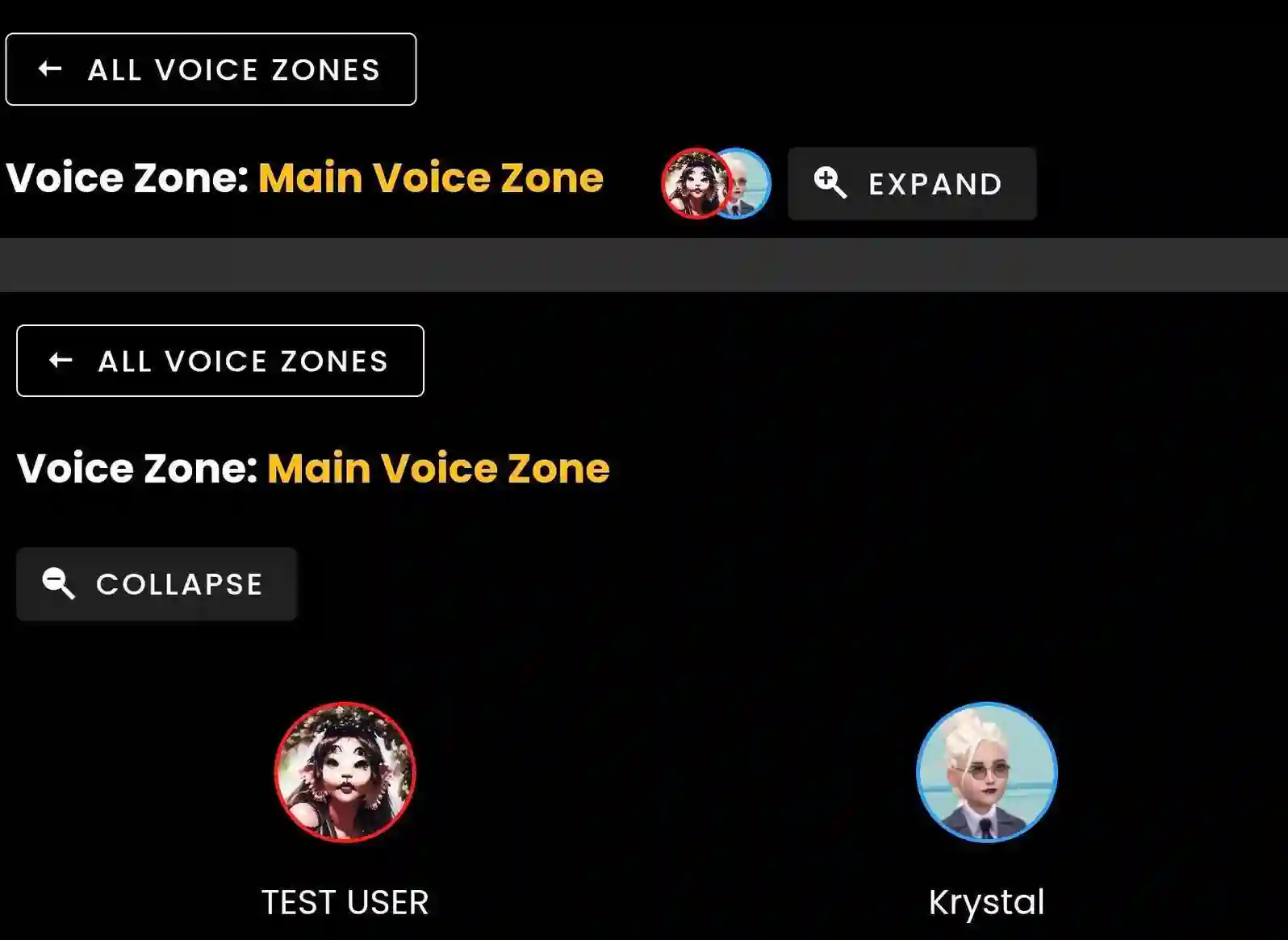
Once Connected you will see a 'Expand' button and once tapped will show a full list of users in that zone.
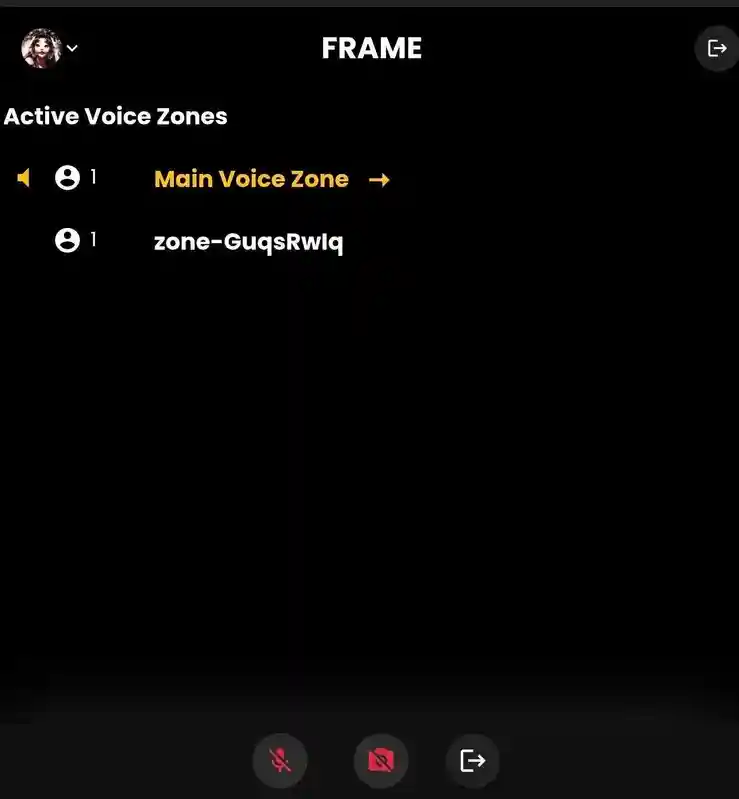
Tap 'All Voice Zones' to see a full list of zones and how many users are in each zone.
Streaming Screens & Documents
Tap Streams to access streaming screens within the zone you are currently in.
- •Tap the right window preview to Zoom in.
Tap Docs to view uploaded PDFs or Images.
- •Tap the PDF to Zoom In.
Click a screen on the right to zoom into it.
Ready to build with Frame?
Join thousands of creators who are building amazing 3D experiences with Frame VR.
For technical assistance, please contact us at support@framevr.io or reach out via our Discord community.
For general inquiries or feedback about Frame, please email hello@framevr.io