
Communication•Intermediate•2 min
Question Queue
Use the Question Queue to help your users categorize what they need help with so the right person can assist them
Use the Question Queue to help your users categorize what they need help with so the right person can assist them.
Enable Question Queue
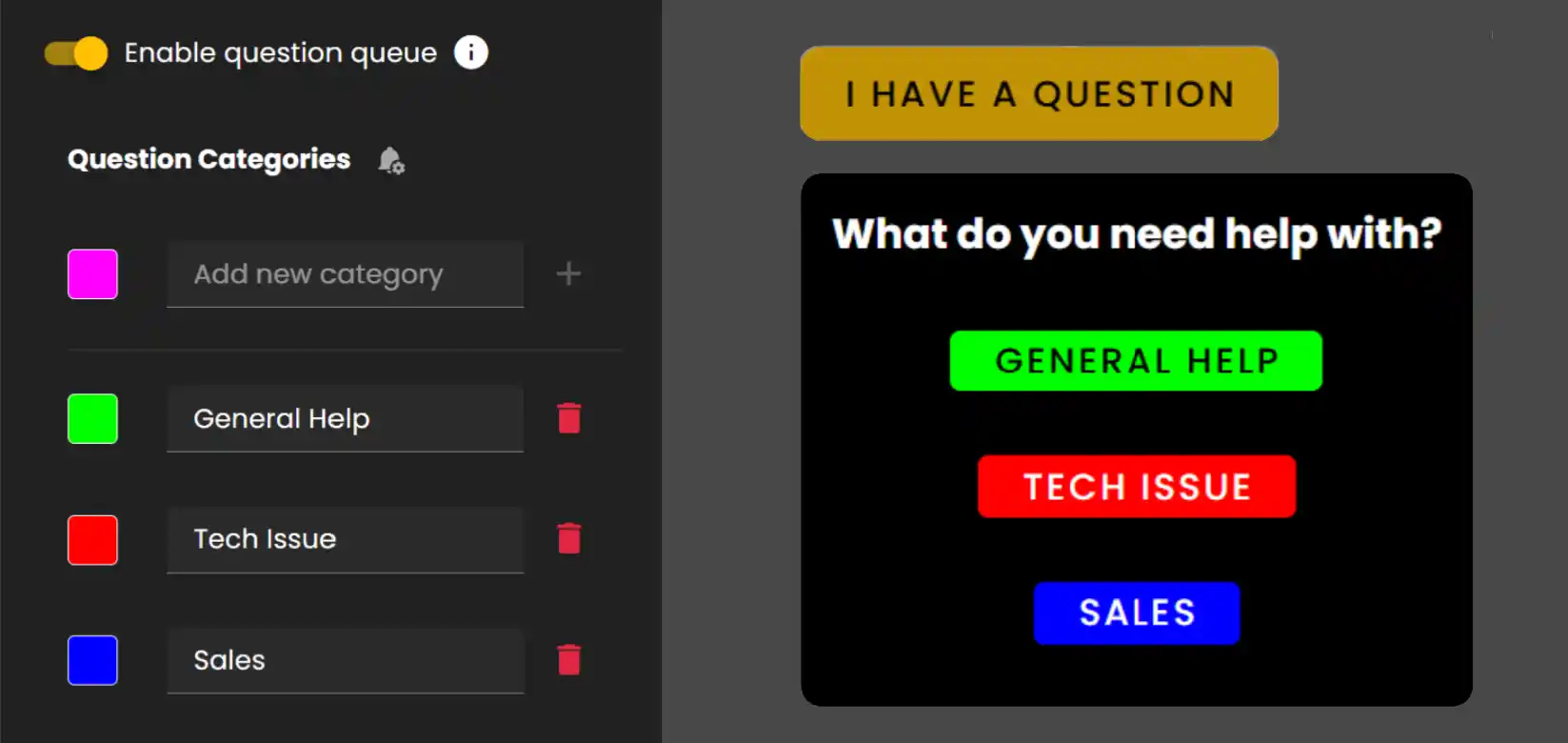
Enable the Question Queue and setup categories you want to display to users in your Frame. Pick colors to help you easily identify options.
Admin Options
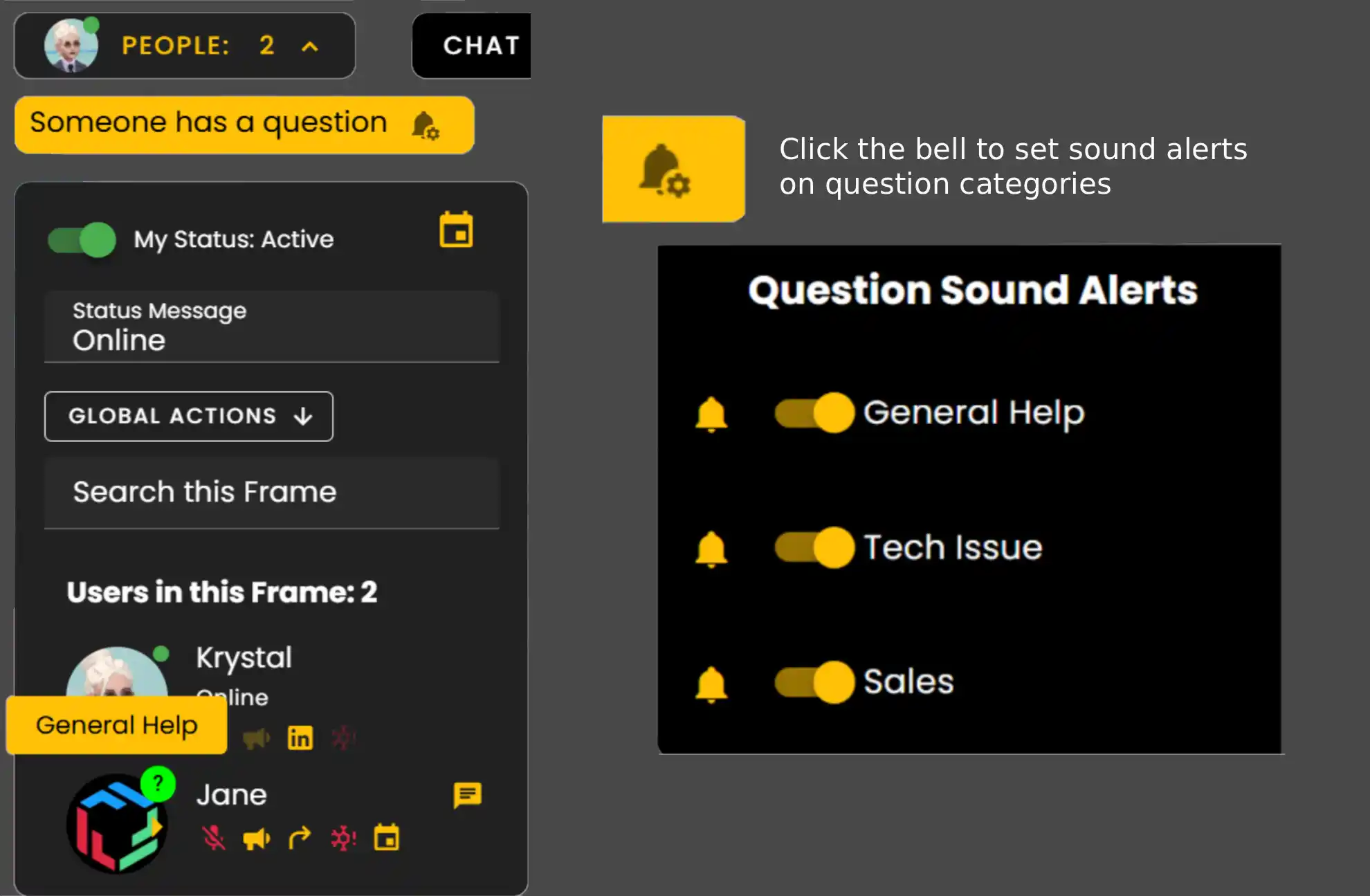
Once an option is selected they will be placed in line for support and the Admin will get a notification.
- •As an Admin you will see a '?' appear on the user who is requesting help. When hovering over their Profile image the category they selected will be visible.
- •Click the bell to set sound alerts on question categories.
Managing Tickets
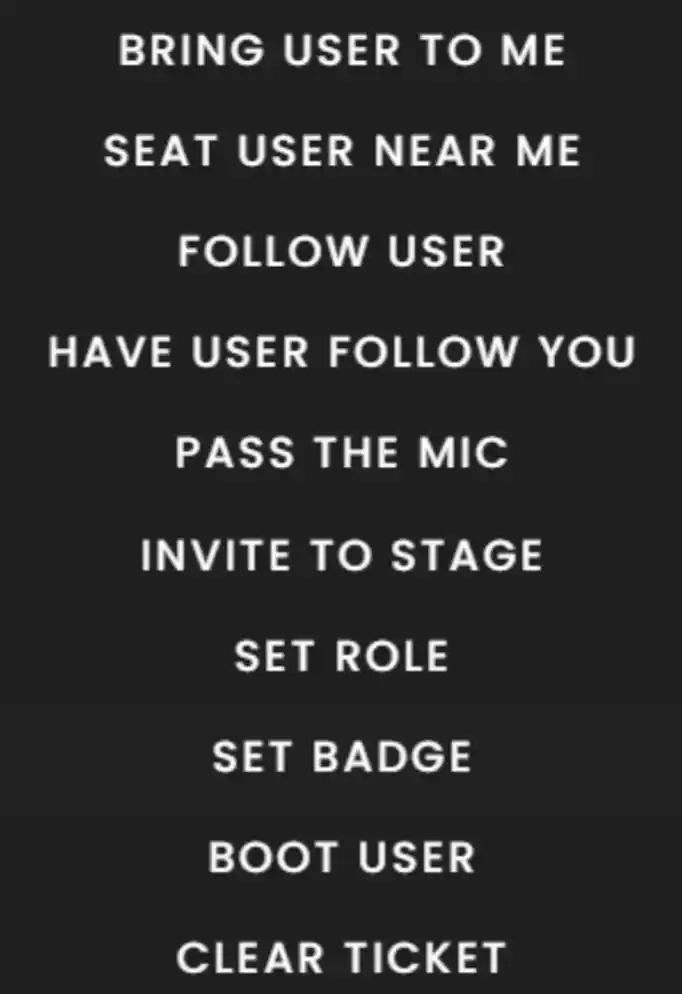
- •Click that user's profile image and select 'Bring User To Me'.
- •Then click 'Clear Ticket' to let other Admins know you have already started helping that user.
Ready to build with Frame?
Join thousands of creators who are building amazing 3D experiences with Frame VR.
For technical assistance, please contact us at support@framevr.io or reach out via our Discord community.
For general inquiries or feedback about Frame, please email hello@framevr.io