
Polls
Real-time questions with multiple choices, as 3D pie charts for anonymous or named voting
In Frame, polls are an interactive assets you can drop into your space to quickly gather input from participants. They're designed to make collaboration and decision-making easier, especially when you have multiple people in a meeting, class, or event.
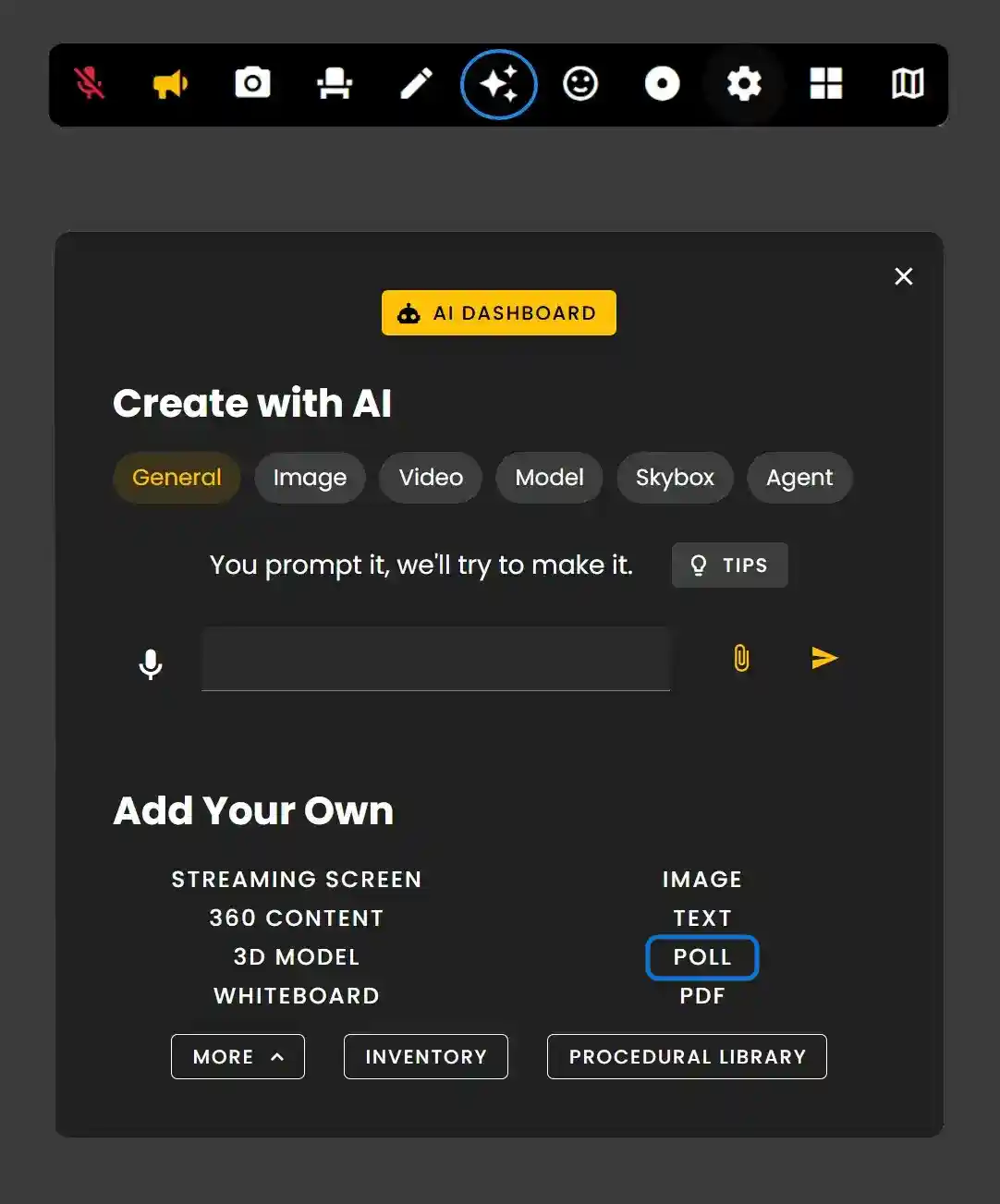
The Creation Menu button in the toolbar
Click the Creation Menu button in the toolbar. Click 'Poll' under Add Your Own.
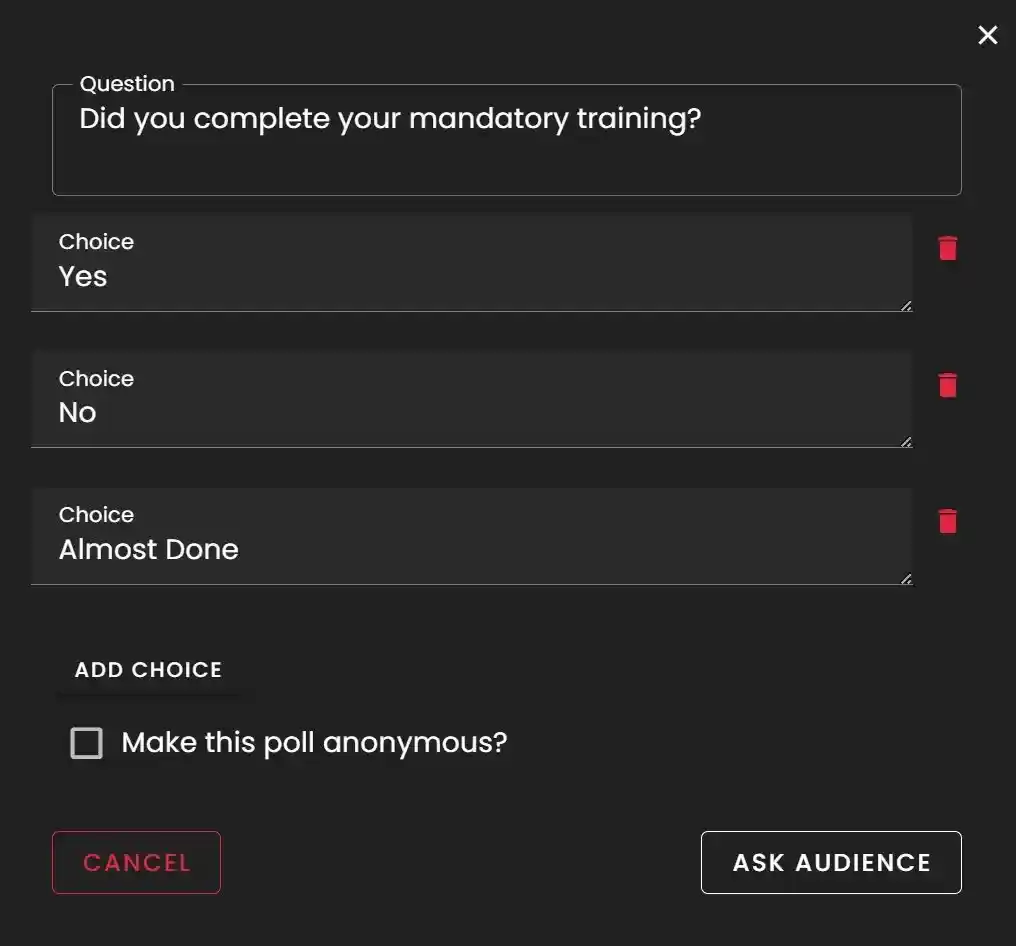
Creating a Poll
- •Type your Question into the Question field and then fill out the Choices.
- •You can add more than 3 by clicking 'Add Choice'.
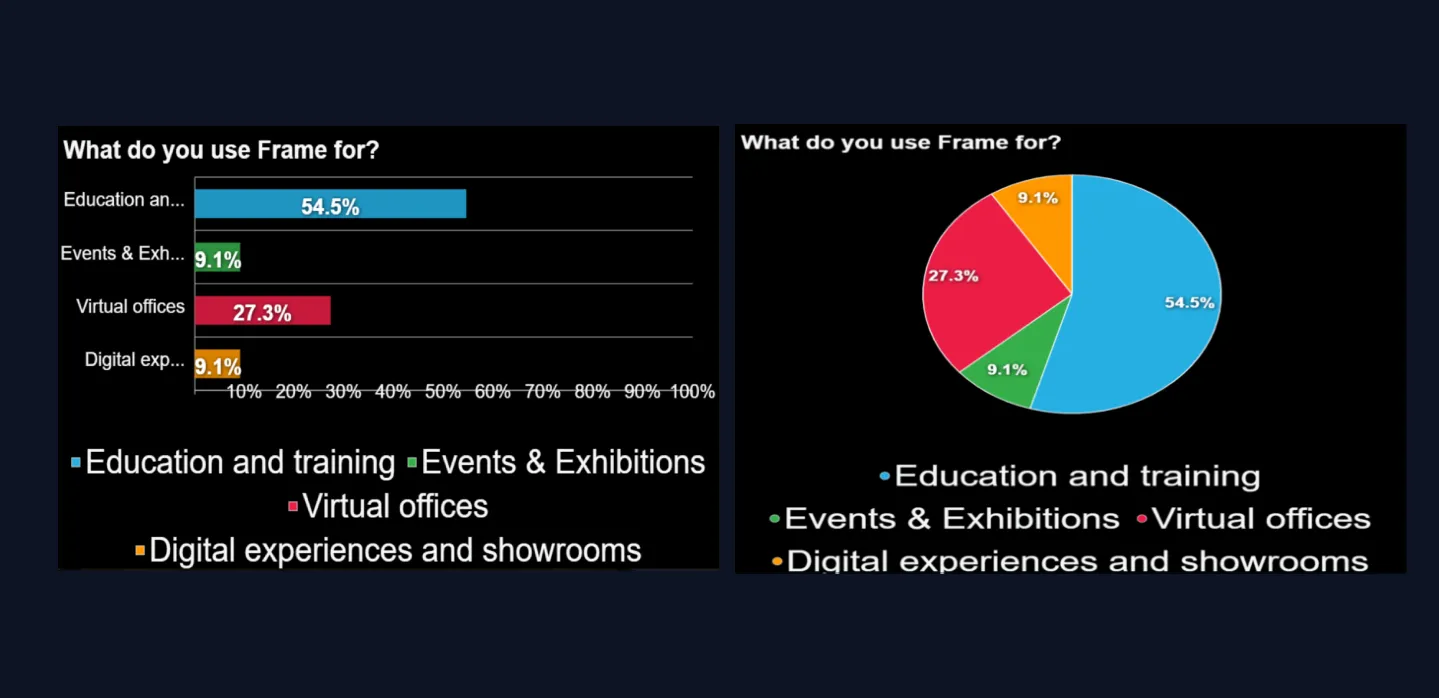
Bar or pie graph poll
You can switch between 2 types of visual polls. More options for your meetings in 3D.
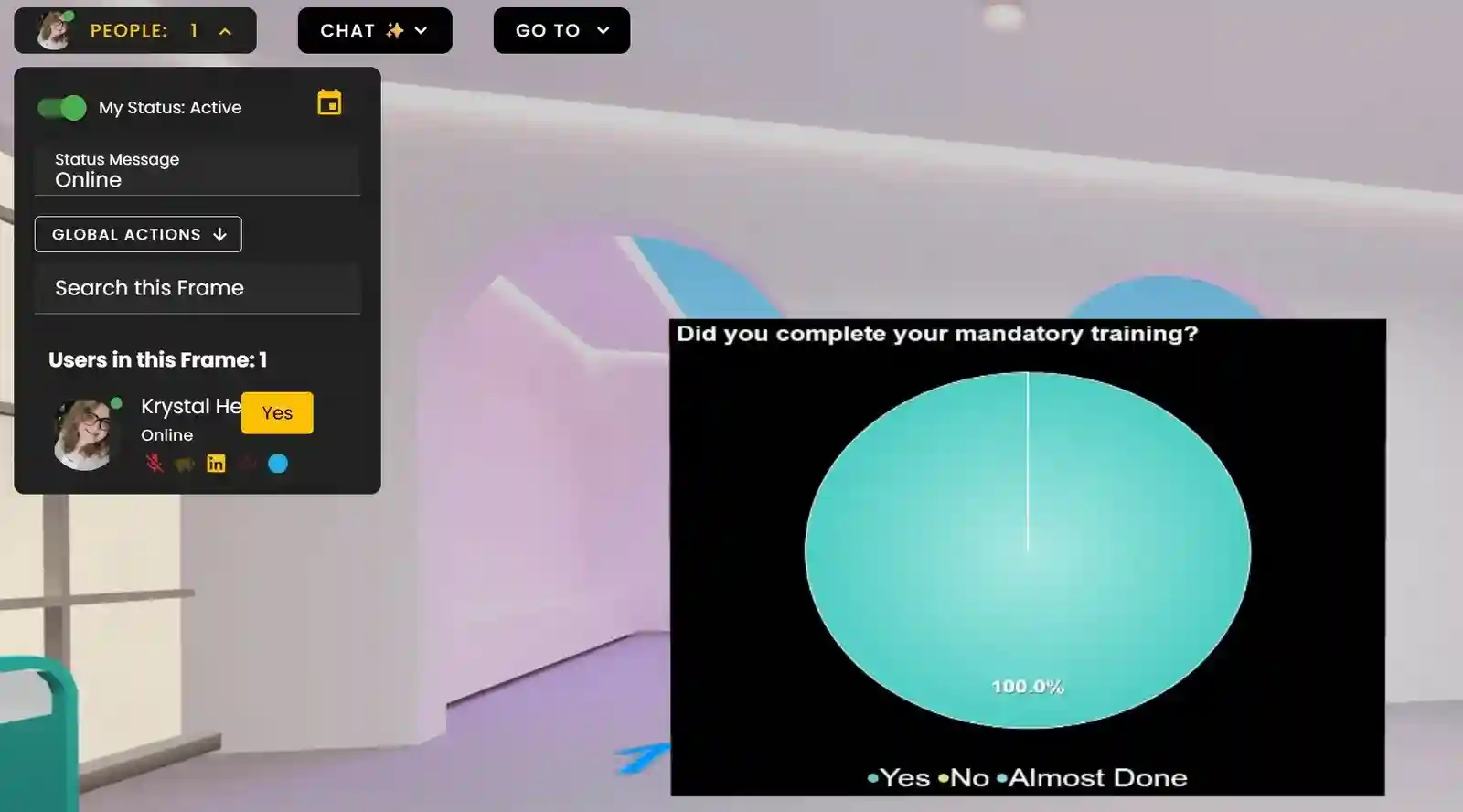
Anonymous Polls & Reset poll
Click the checkbox to make polls anonymous. If polls are not anonymous, you can see how specific people responded in the people menu. Now you can reset your poll — you no longer have to create a whole poll again after it is finished. Easier for your sessions.
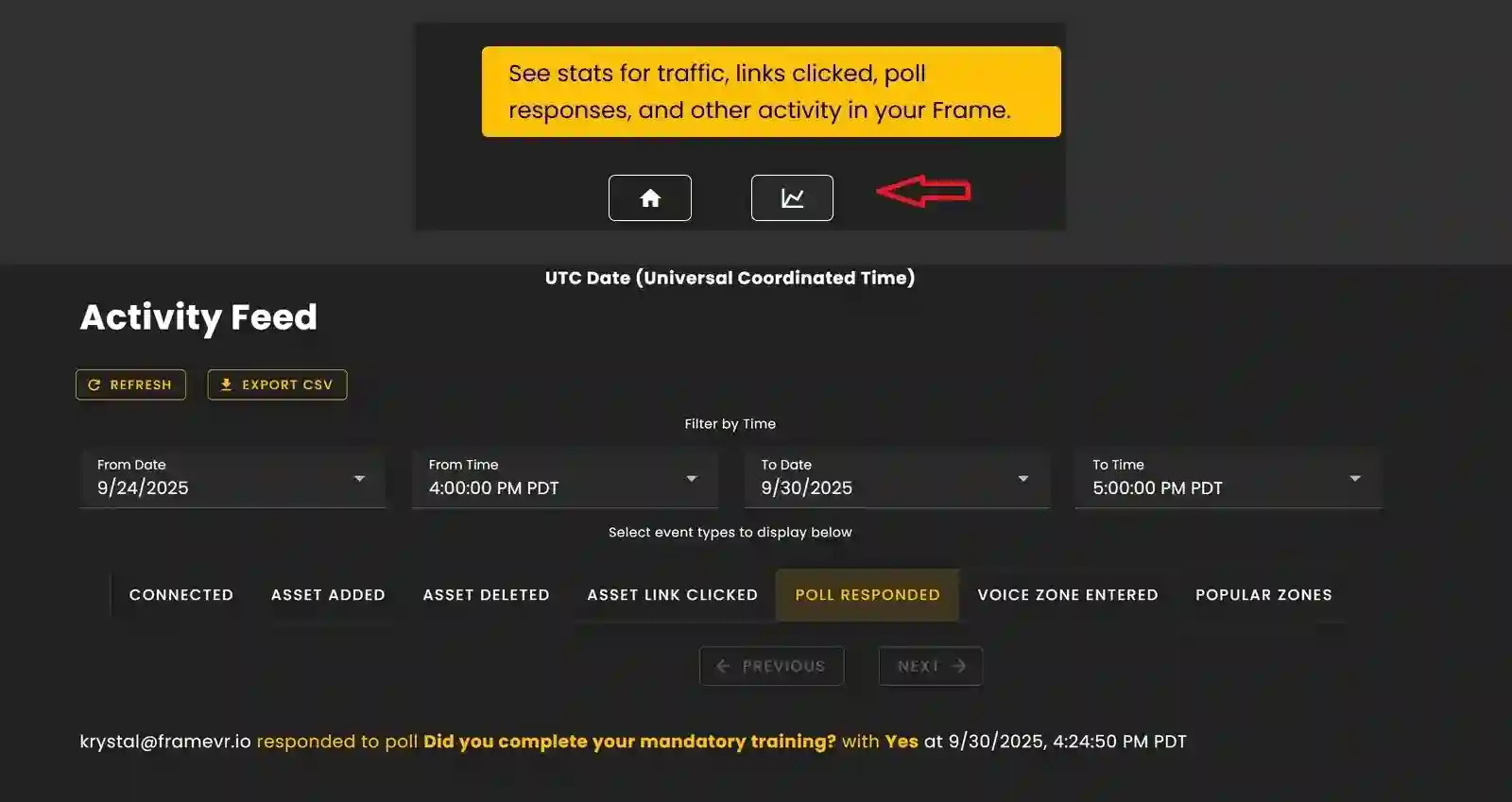
Poll Analytics
Results of Polls can also be found under your Frame analytics in the sidebar.
Analytics view: Poll responded category view
Ready to build with Frame?
Join thousands of creators who are building amazing 3D experiences with Frame VR.
For technical assistance, please contact us at support@framevr.io or reach out via our Discord community.
For general inquiries or feedback about Frame, please email hello@framevr.io