
Password Protected Zones
Protect your Frame space via settings to restrict access to authorized users only
Our new enhancement to Locked Zones - you can now set a password to access a voice zone. Unlike Locked Zones, Password Protected Zones are persistent and remain password protected even when users are not inside of them.
How do I Lock a Zone?
1. Ensure that Private Voice Zones are enabled under General Settings.
2. Enter a voice zone and you will see a lock icon appear in the Toolbar.
There are two lock options:
- •Prevent others from entering zone
- •Lock with password
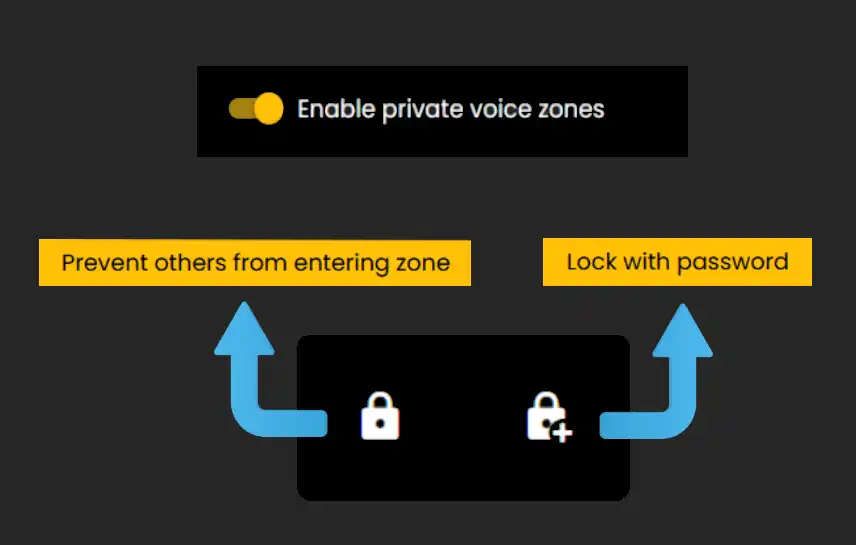
Locked Zone (No Password)
When this option is enabled it will prevent new users from entering the zone. Be sure to lock the zone once all users have entered.
- •When new users try to join the zone they will be bounced back a few feet from the zone.
- •When the user who locked the zone leaves the zone, it will return to its unlocked state.
More information about Voice Zones and their uses can be found in the Voice Zones tutorial.
Password Protected Zones
While inside the zone you want to lock, click 'Lock with Password' and then set the zone's password.
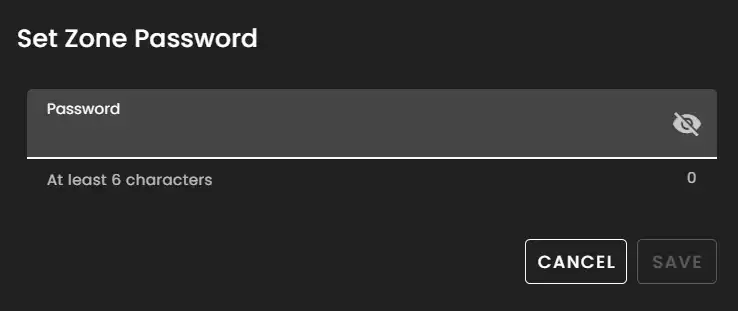
Passwords need to be at least 6 characters long.
- •Once reaching the character limit you can then Save the password.
Unlike regular Locked Zones, Password Protected Zones remain locked even when no users reside inside of them.
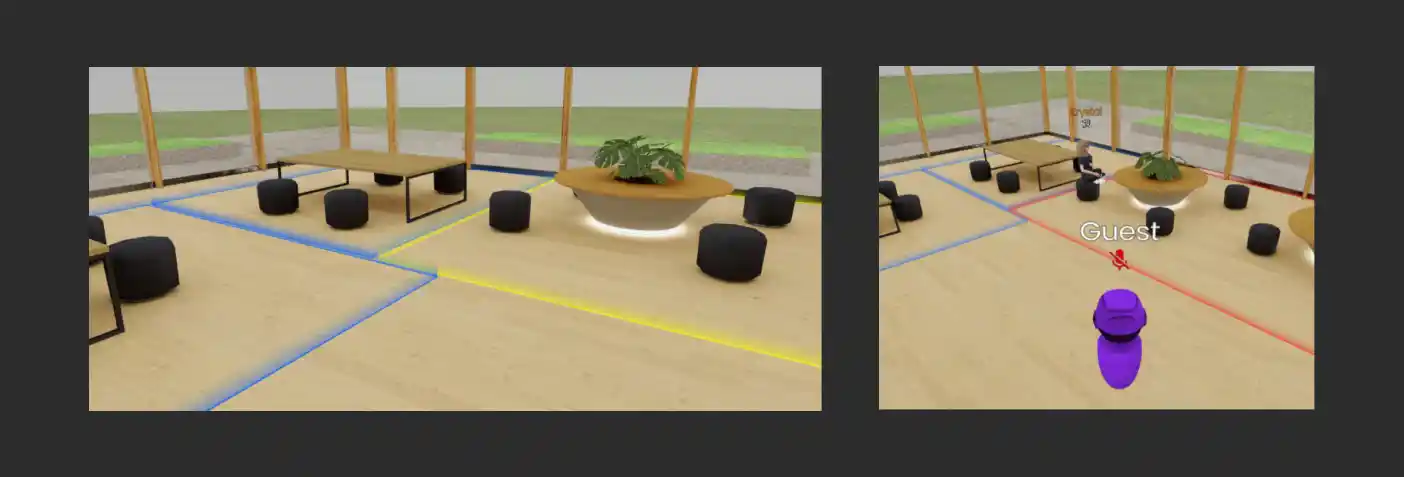
- •Once you enter a password for a Zone it will remain available for you to enter for the remainder of your session.
- •For example in this screenshot - available zones that you aren't in are blue while the yellow voice zone indicates a password protected zone you have access to.
- •Users without access will still see the red outline.
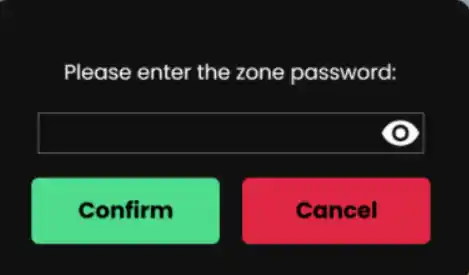

When users attempt to access the zone they will see the password prompt.
- •When entering an incorrect password or choosing to cancel, your avatar position will be bounced back a few feet.
Removing Passwords
- •To remove passwords just enter the zone and click the lock button again to reset the zone back to a normal state.
- •Any Admin of a Frame can remove passwords.
Ready to build with Frame?
Join thousands of creators who are building amazing 3D experiences with Frame VR.
For technical assistance, please contact us at support@framevr.io or reach out via our Discord community.
For general inquiries or feedback about Frame, please email hello@framevr.io