
Management•Beginner•2 min
Mini Map
Use the minimap for quick orientation and navigation in big spaces
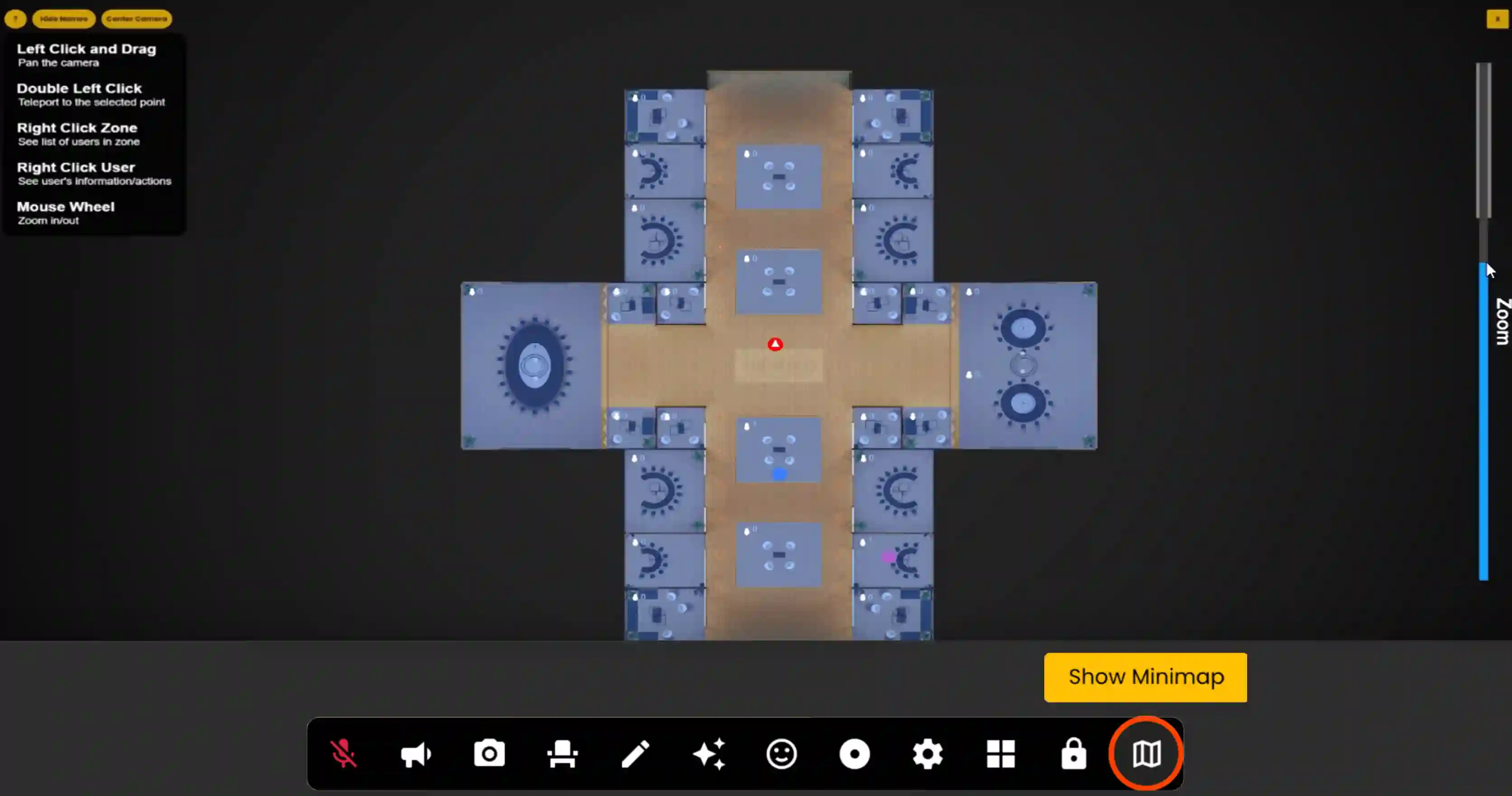
The Frame Mini Map is a powerful navigation tool that allows admins to see the locations of all users within a Frame environment. It provides a bird's-eye view of the virtual space and enables quick teleportation to specific areas, making it easier to manage and navigate large virtual environments.
How to use minimap
- •When opening the mini-map your position on the map is marked by a red circle that has an arrow within it.
- •Other users are marked by various coloured circles and will show their nametags on top.
- •Voice Zones have a user count in the top left corner of the zone.
- •To Hide nametags use the Hide Names button in the upper left corner.
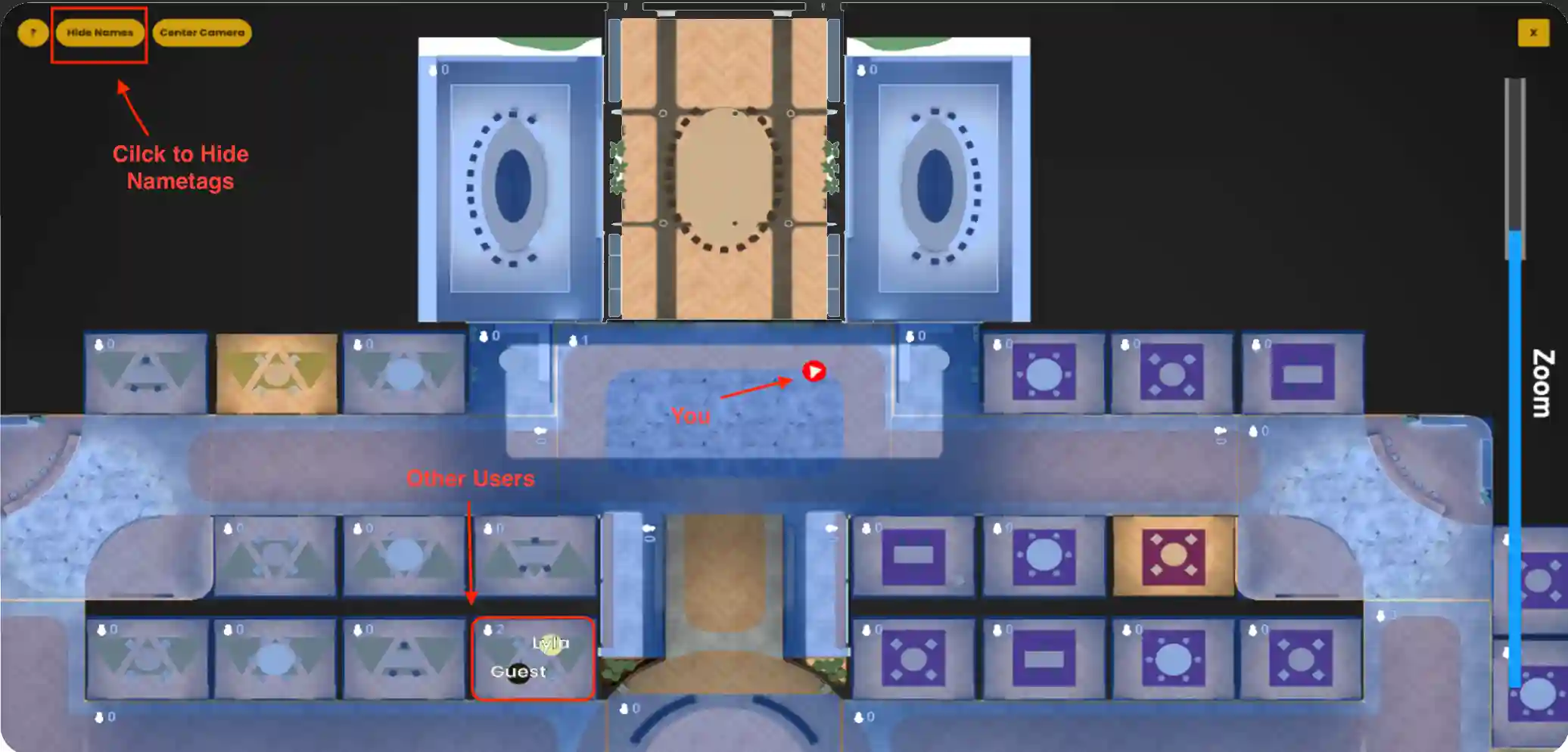
- •If you have nametags off but still want to see who is in a zone just right-click the zone and a list of users who are in that zone will be shown.
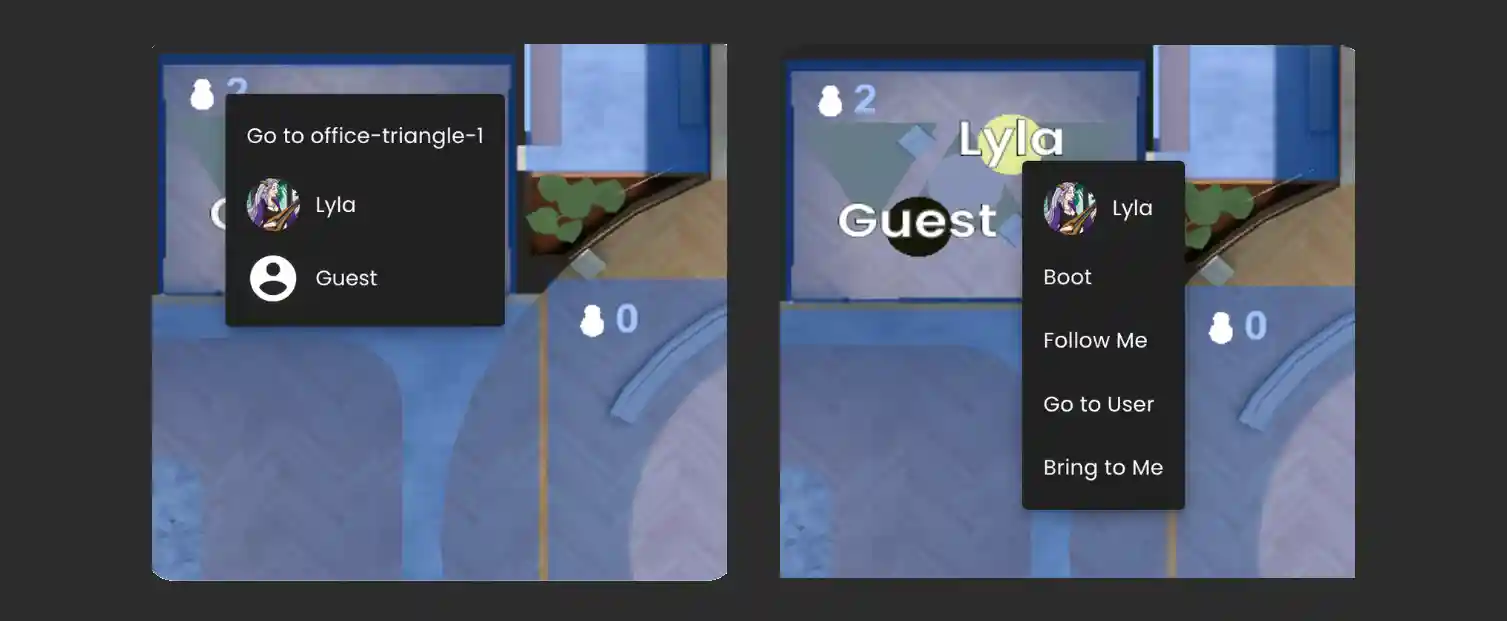
- •To see the User options right click the users circle on the mini-map.
Quick Teleportation
To quickly move between zones simply double-click an area on the map to be teleported there.
Ready to build with Frame?
Join thousands of creators who are building amazing 3D experiences with Frame VR.
For technical assistance, please contact us at support@framevr.io or reach out via our Discord community.
For general inquiries or feedback about Frame, please email hello@framevr.io