
Links
Add clickable links directly into your Frame as interactive elements
Now showing Links
Through the 'Add a Link' option in your Images Edit Menu you can customize what happens when your users click an image. There are multiple options to help you customize and make your Frame more interactive.
Add a Link Options
When you select 'Add a link?' checkbox, you'll see the following link type options:
- •Frame Link
- •Web Link
- •Scene Link
- •Notification Link
- •Spot Link
- •Advanced
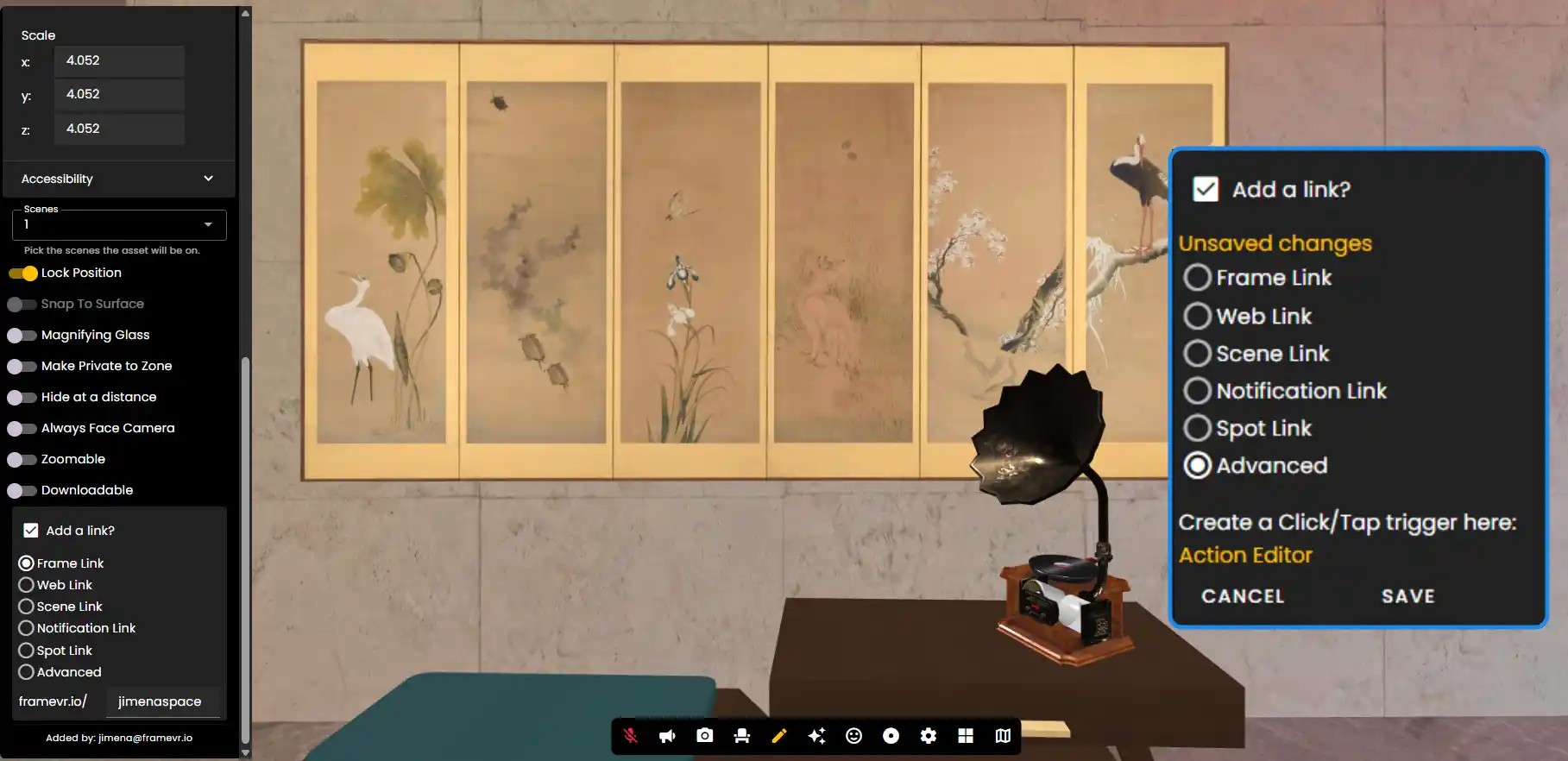
Frame Links
Frame links will teleport users to other Frames entirely.
Web Link
When clicked, an asset with a web link will open websites, which will either open in a new tab or in a small embed overlay at the bottom left-hand corner of Frame. Only some websites will allow this 'embed mode', because it uses iframes and not all websites allow themselves to be embedded in iframes.
Scene Link
Clicking an asset with a scene link on it will move the Frame to the designated scene.
Notification Link
Notification links will send notifications to the Owner's email.
Spot Link
Spot links will teleport users to the spawn spot that you pick from a dropdown.
Advanced Link
Advanced links let you use the Frame Action Editor, an early but increasingly powerful tool for creating your own custom interactions. You can use our Action Editor to make a button that, when clicked, modifies the property of another asset in the Frame.
- •Make a button that scales up another asset
- •Create a tooltip that appears when the user clicks on a 3D model
- •Make a button that triggers an animation on a 3D model
Remember: Links are a powerful way to create interactive experiences. Use Frame Links for cross-Frame navigation, Scene Links for in-Frame navigation, and Advanced Links for custom interactions.
Ready to build with Frame?
Join thousands of creators who are building amazing 3D experiences with Frame VR.
For technical assistance, please contact us at support@framevr.io or reach out via our Discord community.
For general inquiries or feedback about Frame, please email hello@framevr.io