
Inventory
Access and organize your saved assets for quick use across Frames
Your Frame storage one click away. Store Assets for later use or when you need to add multiple copies of an asset to your Frame. We also have a Frame Library where you can find optimized assets to add to your Frame.
Frame Sidebar
Click the three lines in the upper right hand corner of Frame to access the Sidebar.
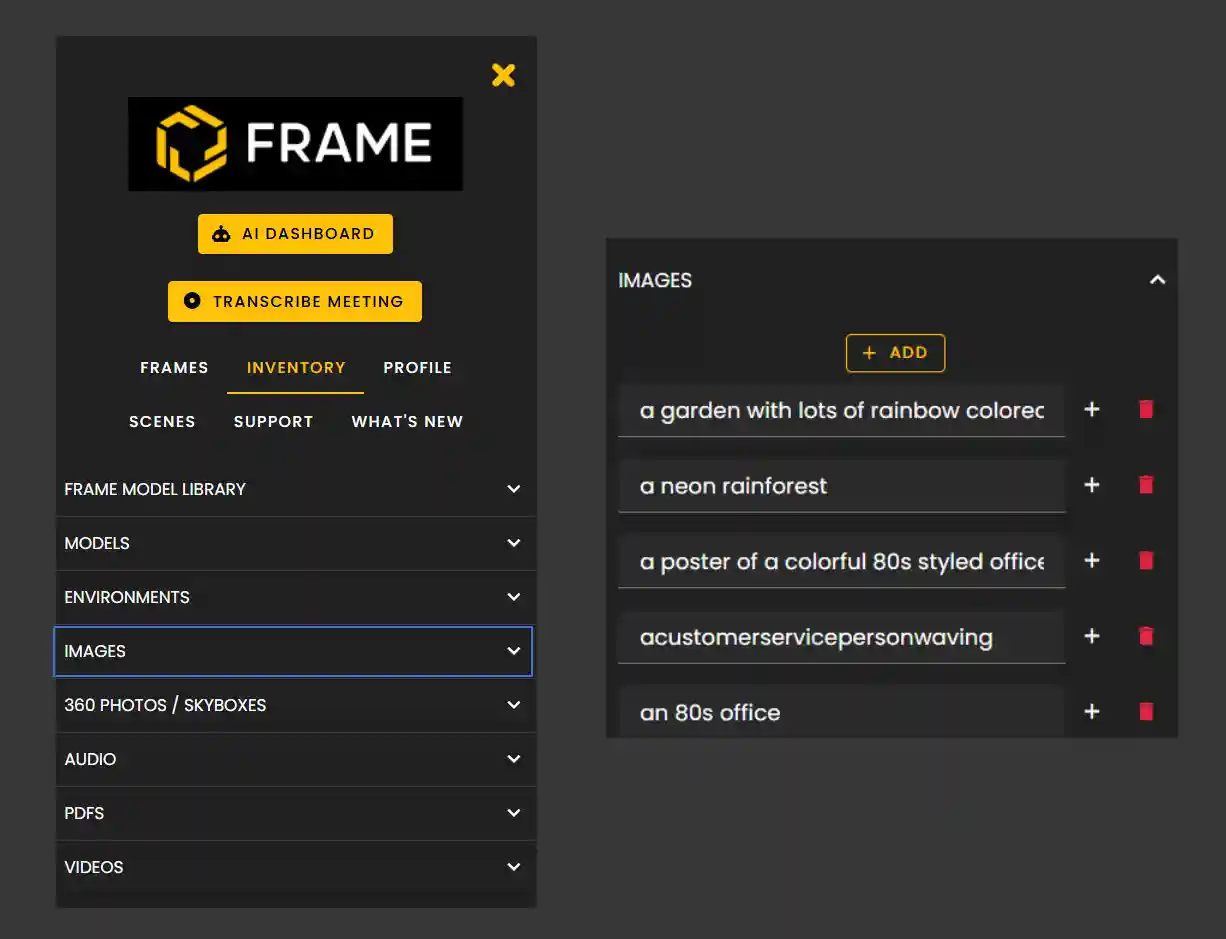
Click on the Inventory tab to access your asset categories.
Accessing Your Inventory
Your Inventory is organized into categories for easy navigation:
- •Images: Your saved image assets
- •Videos: Stored video content
- •Audio: Sound files and music
- •PDFs: Document files
- •Models: 3D model assets
- •Environments: Saved environment templates
When expanding a category you will see a button to add content to your inventory directly.
- •Underneath will be your saved inventory items.
- •Click the + button to add it directly to your Frame.
Click the trash can to delete it from your inventory.
Add to Inventory
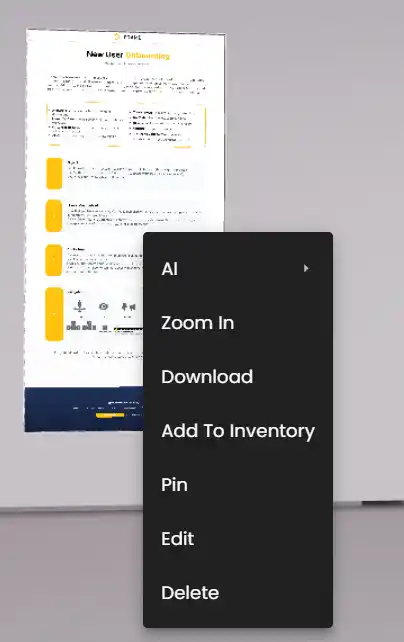
When you have uploaded an asset to Frame but want to store it in your Inventory right-click the asset to bring up the Action Menu.
Then Click 'Add to Inventory'. Based on what type of asset it is it will be sent to that category under Inventory.
- •Your Inventory is part of your account and it travels with you to any Frame you're on. So, you can easily add assets from your Inventory to any Frame, so long as you have permission to edit it.
Frame Model Library
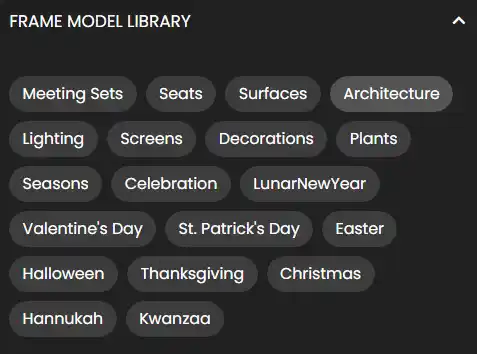
Our Frame Model Library offers a variety of 3D Models that you can add to your Frame at no extra cost.
These assets have been optimized for Frame so that they keep performance running smoothly.
- •We offer a variety of assets that are organized into categories.
Available categories include:
- •Meeting Sets, Seats, Surfaces, Architecture
- •Lighting, Screens, Decorations, Plants
- •Seasons, Celebration, LunarNewYear
- •Valentine's Day, St. Patrick's Day, Easter
- •Halloween, Thanksgiving, Christmas
- •Hannukah, Kwanzaa
Remember: Your Inventory saves time by letting you reuse assets across multiple Frames. Build up your library of frequently used assets for quick access anytime.
Ready to build with Frame?
Join thousands of creators who are building amazing 3D experiences with Frame VR.
For technical assistance, please contact us at support@framevr.io or reach out via our Discord community.
For general inquiries or feedback about Frame, please email hello@framevr.io