
Interacting with Agents
Engage with AI agents for support, entertainment, or interactivity
This tutorial will go over the entry points for interacting with AI in Frame; Agent NPCs & Chat (without using Agents).
Agent NPCs
The most common way to interact with AI in Frame would be through our Agent NPCs.
Click the Creation Menu button in the toolbar.
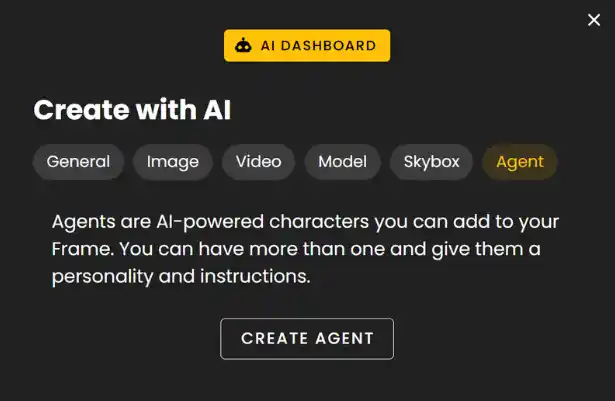
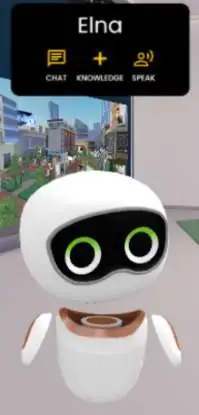
Click the 'Create Agent' and our default android agent NPC will get added to your Frame.
Use Chat or Speak buttons to interact with the AI through the Agent NPCs.
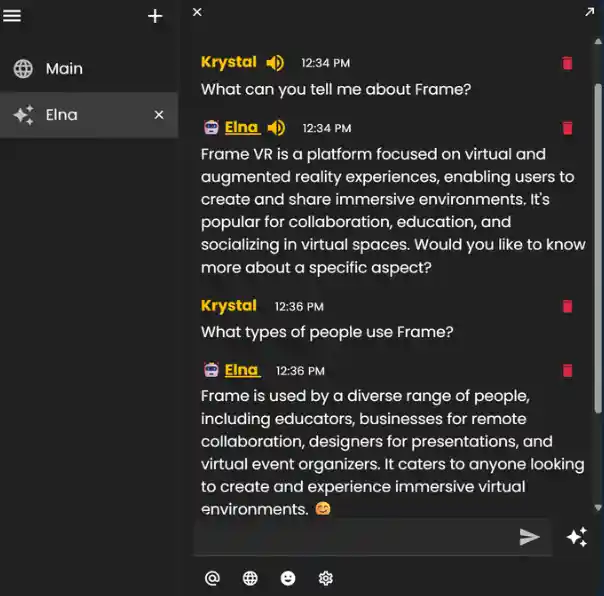
Your local chat window with that particular agent will contain a log of voice interactions that can be differentiated by the speaker icon beside the agent and user names.
Chat (without NPC Agents)
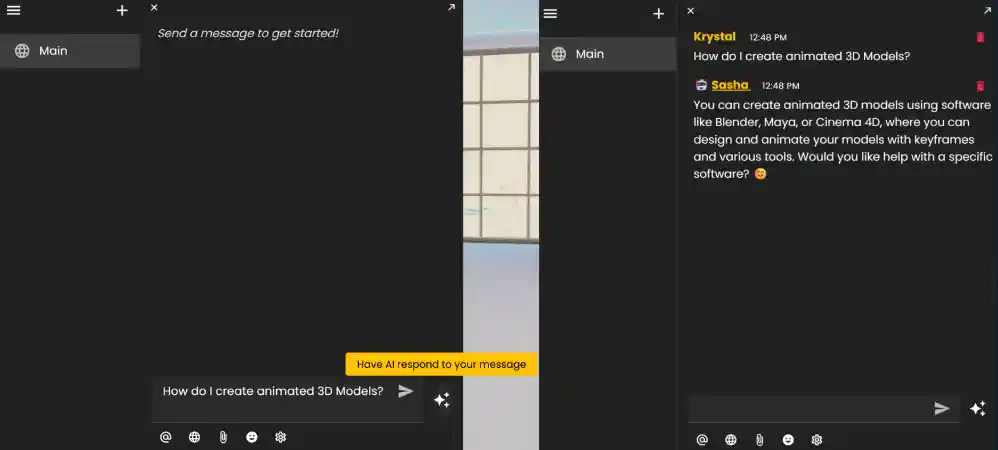
If there isn't an agent NPC located in your Frame or it is too far away simply use chat to interact with AI.
Type your question in the Main Chat and then click the sparkle button to send.
Ready to build with Frame?
Join thousands of creators who are building amazing 3D experiences with Frame VR.
For technical assistance, please contact us at support@framevr.io or reach out via our Discord community.
For general inquiries or feedback about Frame, please email hello@framevr.io