
Using Custom REST API Calls
Integrate custom REST API calls into your Frame
Using the API Call action you can make a call to most any API that supports the following options:
- •GET/POST/PUT/DELETE methods
- •Unauthenticated or authenticated with an HTTP Header or API key somewhere in the URL or HTTP Body
Overview
You can use this to transmit data to 3rd party APIs or even call the Frame API itself. There are several variables that you can include in the API call data as well. Some of the variables contain personal user information, so users are first prompted for consent before that data is transmitted.
Usage Example
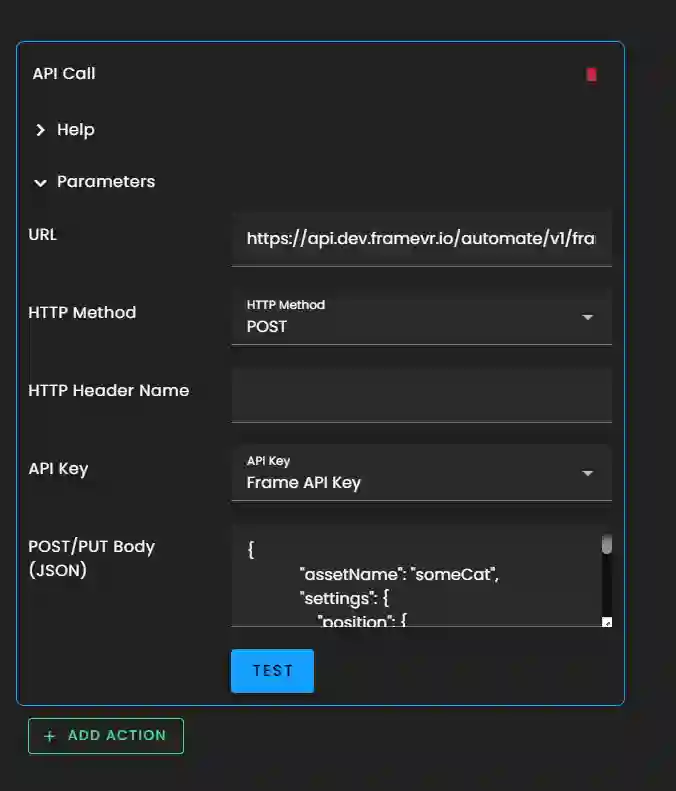
Here is a sample API call that uses the Frame API. In the first URL bullet point, make sure you replace "yourFrameID" with your own Frame Name, and replace the apiKey at the end of the URL with your Frame API key which you can find in your Frame profile.
Note
The interactivity editor will auto-expand parameters sections on objects it sees as having invalid data.
Authentication
Authentication is optional, but there are multiple ways this can be supplied.
Keys
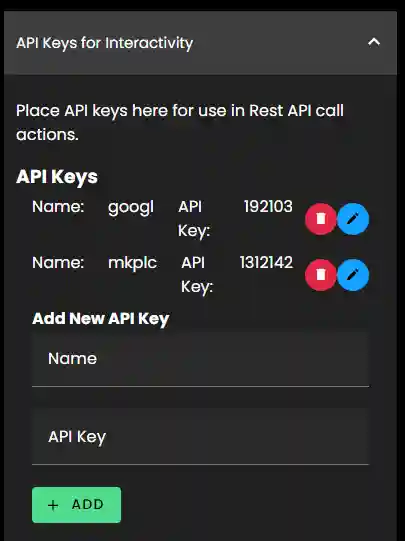
The API key transmitted with the request should be chosen from the list. If you have a Frame API key, this will appear in the list. If you don't have one yet, go to your Profile to generate one. The key text are supplied from a list at the bottom of your Profile. Enter them here.
Header
Some APIs use an HTTP header for authentication. To use this feature, enter the header name in "HTTP Header Name". Commonly it is "X-API-Key".
Other
If the API key must be entered somewhere else, the variable {{apiKey}} can be inserted into the URL or the POST/PUT body.
Data
URL
A valid url must be specified, including the https:// or wss:// portion. Variables (see below) can be used in this field to assist with transmitting data and even authentication (FRAME API expects the API key in the URL).
Method
The following HTTP methods are supported:
- •GET
- •POST
- •PUT
- •DELETE
POST/PUT Body (JSON)
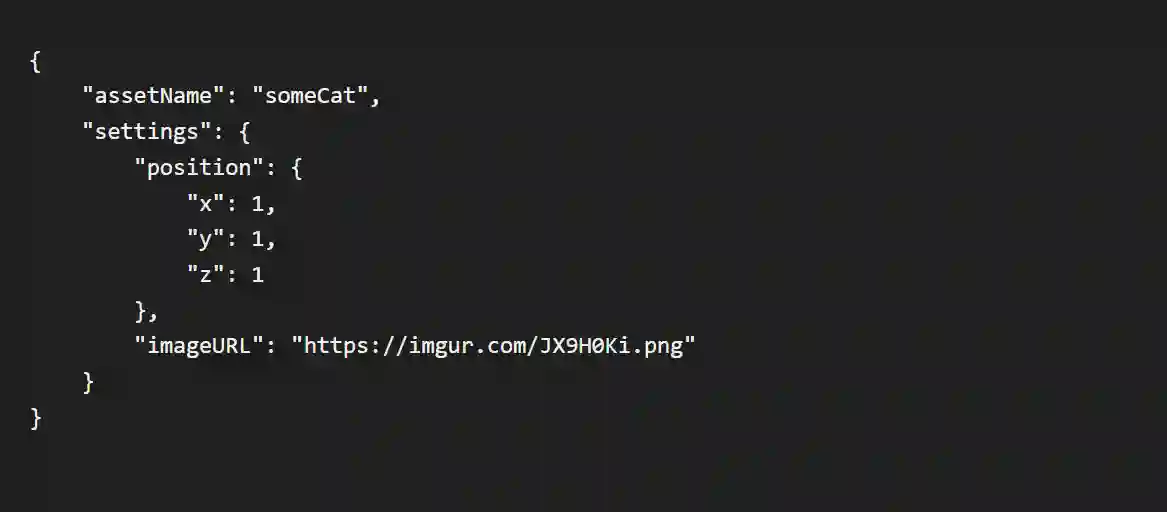
For POST/PUT requests, a body is required. Most APIs use JSON, so the request will be sent with Content-Type: application/json and Accept: application/json HTTP headers set. This requires the body to be valid JSON. The JSON can be nicely formatted with extra spaces, but within each value the data must not contain line breaks and tabs. These must be escaped - that is, represented with a special code sequence. There are some online tools that can assist in formatting JSON.
Variables
Variables are available to transmit a variety of useful data. To use a variable, put type it (including the {{ and }}) into the field.
Non-sensitive variables
The following variables can be used in the URL or the POST/PUT Body:
- •{{randomUUID}} - Unique user ID. If not logged in, this is "Anonymous".
- •{{frameName}} - the URL key entered below
- •{{frameUuid}} - the UUID associated with this Frame
- •{{assetUuid}} - a unique ID of the asset that triggered this action
- •{{assetName}} - the name of the asset that triggered this action
- •{{assetType}} - the type of the asset that triggered this action
Sensitive variables
The following sensitive variables can be used in the URL or the POST/PUT Body:
- •{{email}} - the user's email address
- •{{nametag}} - the user's nametag
User Consent
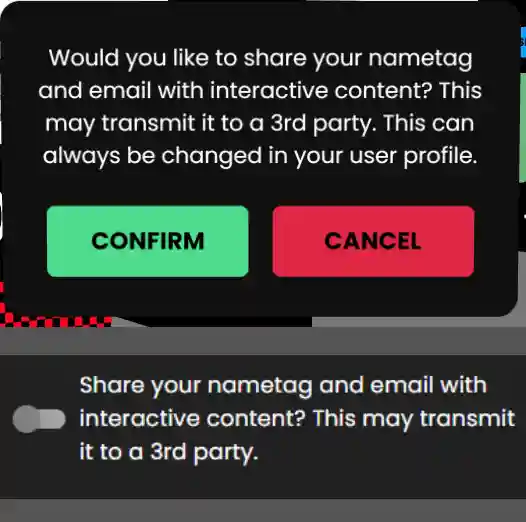
If these are used, the user will be asked before transmitting this data, but only once. They will be presented with the following popup the first time an API Call action is triggered.
The user can change this later in Profile > User Preferences. Share your nametag and email with interactive content? This may transmit it to a 3rd party.
Users that are not logged in, guests, are considered to not be granting consent, so an API call containing sensitive variables will not be called for them.
Ready to build with Frame?
Join thousands of creators who are building amazing 3D experiences with Frame VR.
For technical assistance, please contact us at support@framevr.io or reach out via our Discord community.
For general inquiries or feedback about Frame, please email hello@framevr.io