
Create with AI
Explore how AI helps you create 3D models, images, videos, and more inside your Frame space
Our Creation Menu allows you to use prompts to do various actions like finding news articles or posing specific questions. You can also create AI Generated Images, 3d Models and Videos. Add NPC Agents to your Frame that can have unique dispositions and industry specializations.
The Creation Menu button in the toolbar
Click the Creation Menu button in the toolbar.
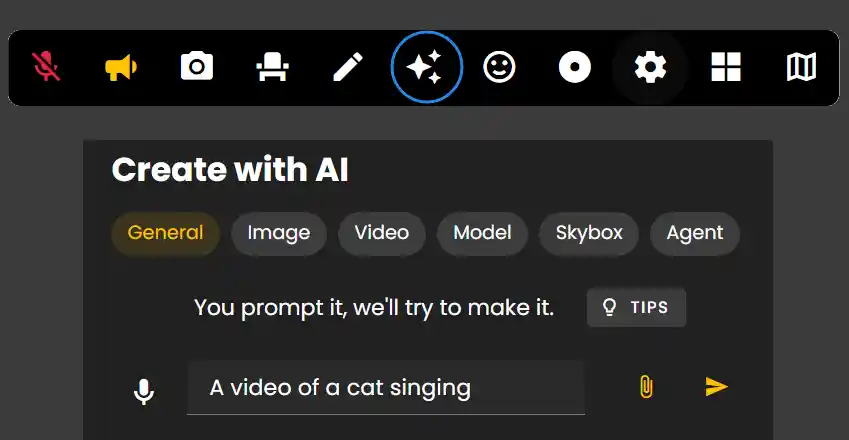
Create with AI section shows you 6 options: General, Image, Video, Model, Skybox, Agent
General tab
For the 'General' tab you can perform a variety of actions to create content in your Frame.
- •Make me an image of a cat dancing in the rain
- •Take me to Paris
- •Make me a picture of a field shimmering fireflies, watercolor style.
- •Show me news about particle physics.
- •Make a text area with a detailed analysis of Plato's Theaetetus.
- •Make me an AI assistant with a friendly personality who is an expert on neuroscience.
- •Make a few shapes in front of me next to each other with random colors.
- •Make a streaming screen and a whiteboard next to each other
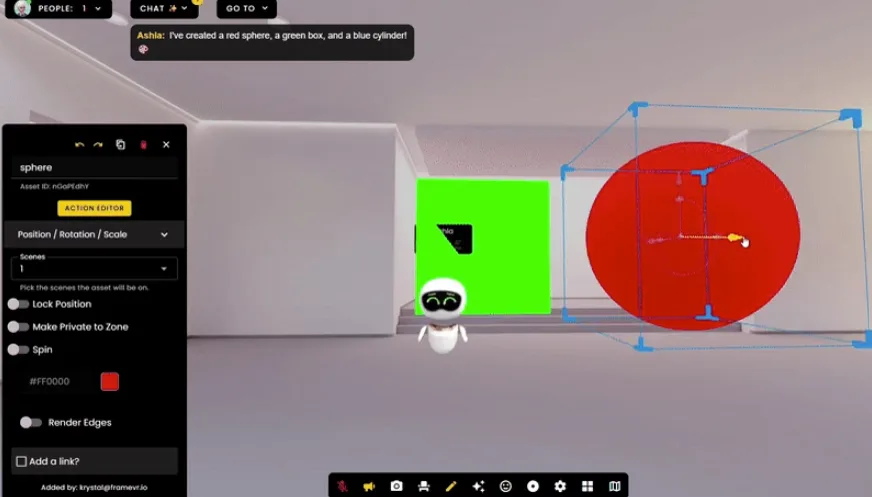
Create Images, 3D Models & Videos
The process for creating these assets are very similar - enter a prompt and upload an image of what you'd like to create to customize assets to exactly what you want.
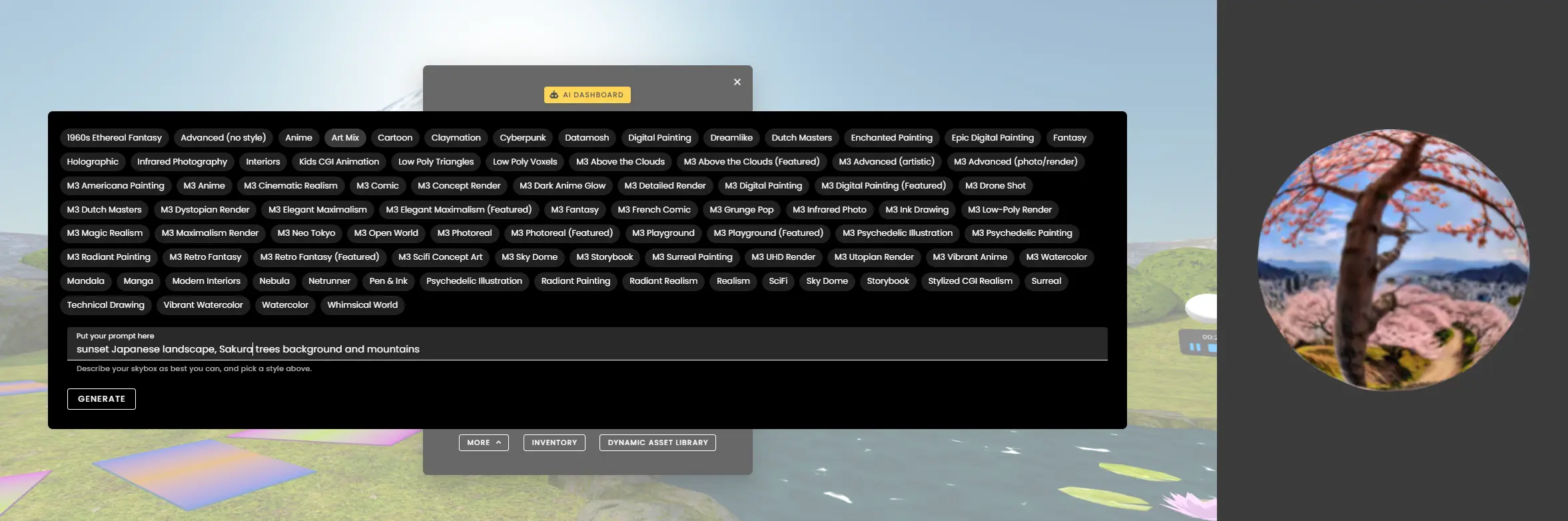
Create Skyboxes
For Skyboxes just enter a prompt, pick a style and click Generate.
Remember: Use the General tab for quick commands, or use specific tabs (Image, Video, Model, Skybox, Agent) for more control over AI-generated content.
Ready to build with Frame?
Join thousands of creators who are building amazing 3D experiences with Frame VR.
For technical assistance, please contact us at support@framevr.io or reach out via our Discord community.
For general inquiries or feedback about Frame, please email hello@framevr.io