
Avatars
Learn to customize your avatar with diverse options like Android robots and Human avatars
Your avatar is your digital representative on our platform. You can access the avatar customization menu in a few ways to create a unique and personalized representation of yourself within the Frame environment. Avatar customization allows you to choose between different avatar types and modify their appearance to match your preferences.
How do I access Avatar Customization?
Method 1: Connect Screen
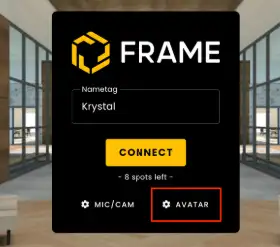
By clicking Avatar on the Connect screen before joining a Frame.
Method 2: Profile Menu
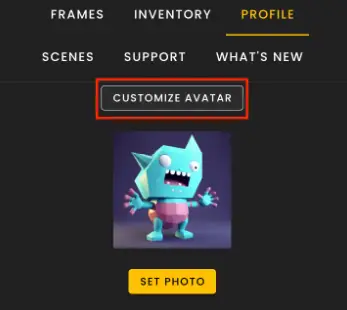
If you are already connected to Frame, click on the Profile tab in the sidebar, then select "Customize Avatar" above your Profile Image.
Hotkey: You can also access via the "C" key.
Avatar Types
There are 2 avatar types to choose from:
| Type | Description |
|---|---|
| Android Bot | Users who join Frame for the first time are automatically created as an Android. Users are given a random color, but can select from several primary and secondary colors. |
| Human | Frame users can change to Human avatars with a variety of options and customizations to choose from, including Hairstyles and Hair Colors, clothing, and many other options. You can also 'Randomize' the avatar's appearance or click through the various customizations. |
Ready to build with Frame?
Join thousands of creators who are building amazing 3D experiences with Frame VR.
For technical assistance, please contact us at support@framevr.io or reach out via our Discord community.
For general inquiries or feedback about Frame, please email hello@framevr.io