
Assets in this Frame
View and manage all assets currently in your Frame from one place
Find your objects. Locate objects in your Frame by searching through Categories under Assets in this Frame. Edit, delete, or rename assets at your convenience.
Frame Sidebar
Click the three lines in the upper right hand corner of Frame to access the Sidebar.
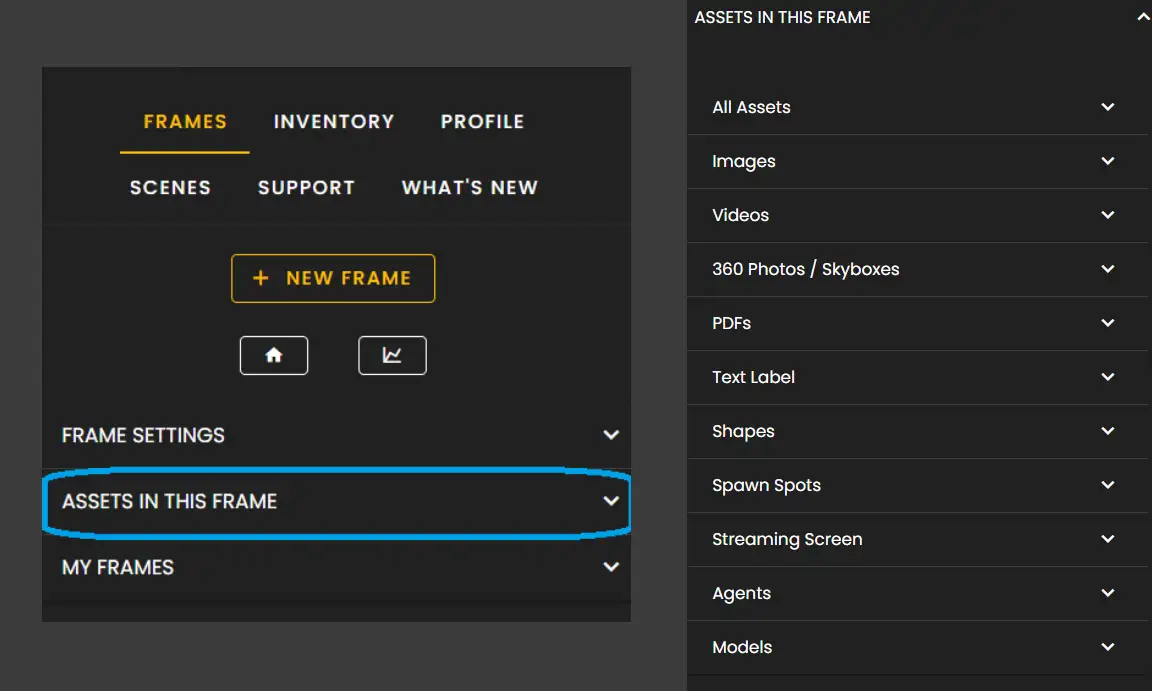
Click the Frame tab and then expand the menu for Assets in this Frame.
When expanding this menu you'll see an option to view 'All Assets' as well as view assets in their respective categories.
Asset Categories
Assets in this Frame are organized into the following categories:
- •All Assets: View everything in your Frame
- •Images: All image files
- •Videos: Video content
- •360 Photos / Skyboxes: Panoramic images
- •PDFs: Document files
- •Text Label: Text elements
- •Shapes: Geometric objects
- •Spawn Spots: User entry points
- •Streaming Screen: Screen share surfaces
- •Agents: AI assistants
- •Models: 3D objects
Deleting Assets
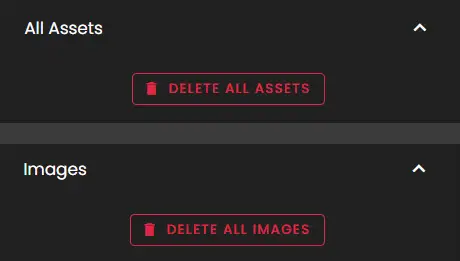
Under All Assets you can Delete All Assets. You can also delete all assets in specific categories.
Important
Use this carefully! Assets cannot be restored after you delete them unless you have them in your Inventory.
Asset Options
You will also see the following options:
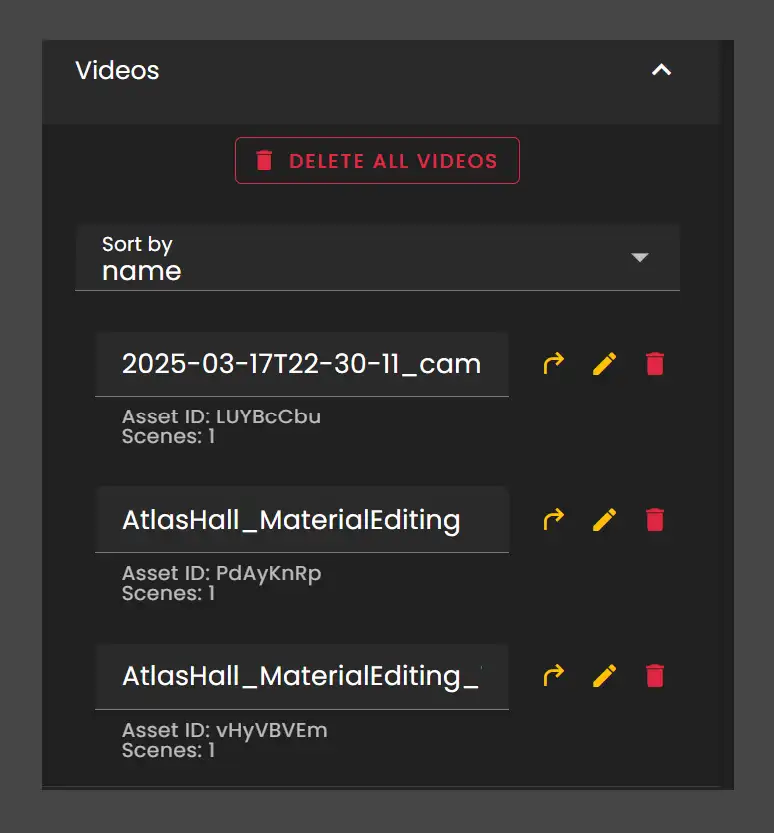
- •Sort By categories, Name, Scene, Last Modified, and Owner
- •Asset Options to go to this asset, edit the asset, or delete it
Remember that when you delete from this view you are deleting it from your Frame environment.
Remember: The Assets in this Frame panel gives you complete control over all objects in your environment. Use it to quickly find, organize, and manage your content.
Ready to build with Frame?
Join thousands of creators who are building amazing 3D experiences with Frame VR.
For technical assistance, please contact us at support@framevr.io or reach out via our Discord community.
For general inquiries or feedback about Frame, please email hello@framevr.io