Time Saver in Frame - Copy & Paste
Discover how to quickly add images to your Frame environment using copy & paste shortcuts during meetings.
⏱️ Time-Saver for Frame Users!
Need to drop an image into your Frame environment fast, like during a meeting?
Just do one of these:
Quick Image Upload Methods
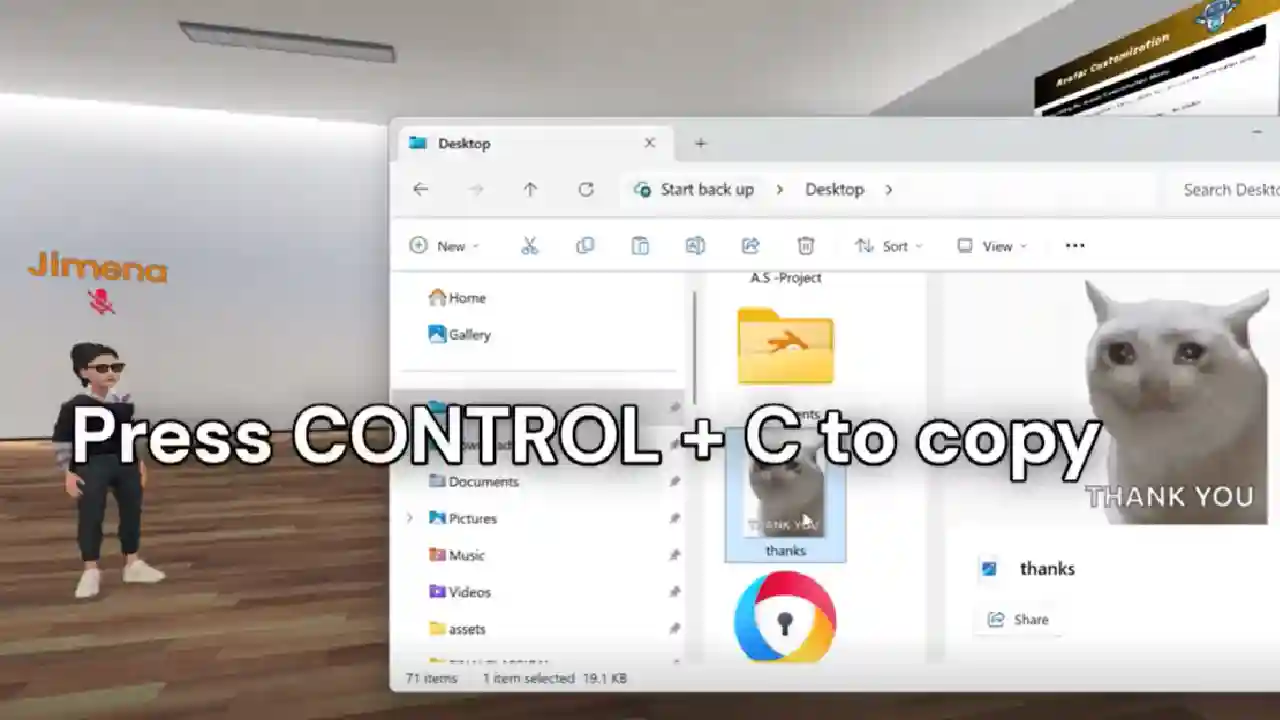
✅ Right-click and paste an image straight into the chat.
✅ Or use CTRL + C and CTRL + V to place images directly into your 3D space.
Keep Your Workflow Moving
It's a quick and smooth way to keep your workflow moving.
And if you prefer, uploading through the Creation Menu is always there too.
Give it a try and see how much time you save.
This simple keyboard shortcut can make a huge difference in your productivity, especially during live meetings or presentations when you need to share visual content quickly without interrupting the flow of conversation.
Ready to Transform Your Meetings?
Experience the future of collaboration in immersive 3D spaces.
Try Frame Free