FRAME December Update: We Come With Gifts
Maps, hand tracking, text assets, Immers Space, multiple screen shares, seats, and more.
We have a big FRAME update to close out 2021. We're really proud of what we've accomplished this year and the team we've put together. We have even more ambitious goals for 2022.
As a friendly reminder, we believe that:
- Immersive experiences can make online interactions more personal, playful, and powerful
- The web browser is the key to the metaverse, the web that binds experiences together and a first-class vehicle for 3D content
- Frame is just one exciting piece of the metaverse, one that gets a lot more exciting with this update
There's a lot to unpack with this one. You may need to do a "hard refresh" of Frame in your browser to get all the updates (control-R on Chrome). Also - apologies - but some of your models might be a little tilted. Just re-align them once and you'll be all set.
Here are the highlights!
- A new "experimental features" toggle that will let you enable or disable experimental features in Frame
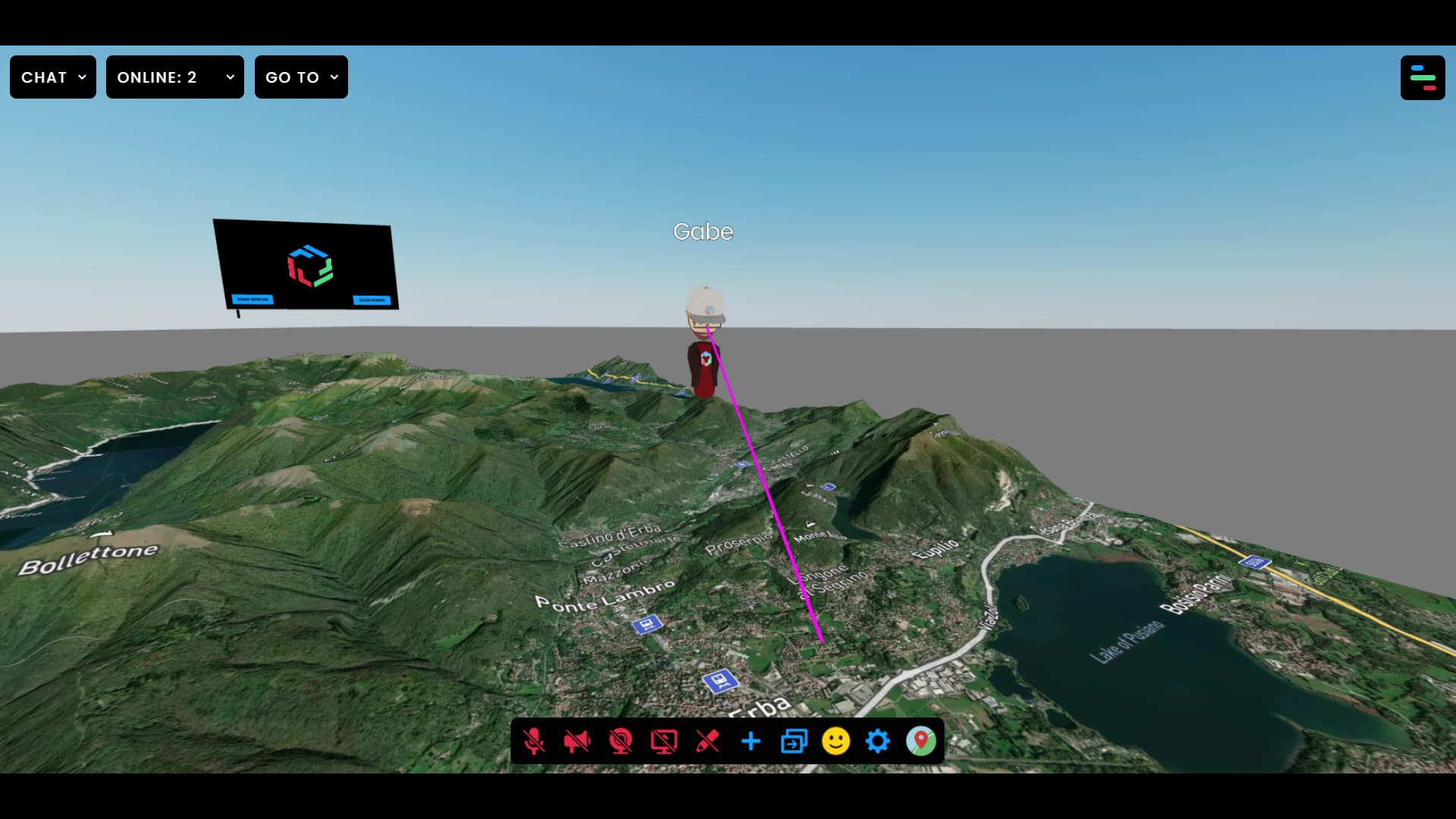
- A stellar example of one of these experimental features - a "Map" environment that lets you set a map as the floor of your Frame, including 3D terrain
- Another sweet experimental feature - hand tracking on Oculus Quest
- Text Assets that you can bring into Frame to serve as simple labels or buttons
- Log in with Immers Space, an authentication layer that will let users log-in with the same account across various destinations of the metaverse
- Multiple Screen Shares - You can now share different screen shares on different streaming screens
- Seat Assets that let you designate "seats" in your Frame that users can click to sit on
- The ability to rename your assets in the Edit Menu
- Changing your audio input source while inside of Frame
- Duplicate 3D models in your scene are more efficiently rendered
- Custom private voice zones are rotatable
- Frame loads faster for those who are loading it for the first time - like twice as fast
- Uploading Environments With Lightmaps so that you can bring in even more brilliant custom environments
Two Experimental Features: Maps and Hands
We ship features pretty quickly, but sometimes we want to ship features even faster. Some of these features we will now release a little faster as "experimental" features that can be enabled in your "Profile" section in Frame. You can enable these features on a feature-by-feature basis. Be warned - these are flagged as "experimental" because they haven't been tested as much as other features. Expect bugs, and be pleasantly surprised when they "just work".
I'm not trying to scare you away from them, though. In fact, we have some new features that you need to try out: Maps and Hands.
The Map feature lets you pick a new environment in the environment picker: Map. With Map selected as your environment, you'll see a map with 3D terrain appear as the floor in your environment, and a map icon appear in your toolbar at the bottom center of the screen. Click on the map icon, and a panel will appear that lets you search for a new destination, toggle the 3D terrain on or off, zoom in or out, and select a map type.
Real estate agents that want to show some prospects the lay of the land before hopping into 360 photos of properties in the area, teachers that want to go on virtual field trips and investigate the geography of different locations around the world, people that just want to explore….go for it.
The next experimental feature is hand-tracking on the Oculus Quest. The Oculus Browser team has done tremendous work with the WebXR spec and the fact that this is possible in Frame attests to their great work. With hand tracking on, you can put your controllers down and just wave your hands to wave at people. The Frame user interface in VR is still quite hard to use with the tracked hands, so view this as a proof-of-concept that we'll be building on in the future.
Text Assets
This is one of our most-requested features and we're thrilled to deliver the first version. This is a new asset you can bring into Frame, and when you do, a bit of text will appear in your Frame. It will simply say: "Text Label". Turn on Edit Mode and click on the text to see the editor. You can tweak the text, its color, and its background color.
You can't add huge blocks of text with this - it's intended to be used for labels (like your name above an office door), buttons (using the wide range of "link" options in Frame), or other use cases that don't rely on huge text paragraphs. We're proud of how crisp and clear we got this text to appear in Frame. More to come!
Log in with Immers Space
Immers Space is an organization that shares a lot of values with Frame. We even share a few teammates. The thing to know is that you have another way to login, one that transcends Frame itself and can also be used in other spots of the metaverse. This is only the beginning of the relationship between Immers and Frame and we can't wait to show you how this will not only add more useful features to Frame, but also raise all ships in the metaverse.
Multiple Streaming Screens
Want to share different browser tabs or application windows on multiple streaming screens? Now you can! Just keep in mind that this is bandwidth-intensive, so don't go overboard with dozens of streaming screens.
As always, you can still share audio through your screen shares for piping in YouTube videos and more.
Seats
We know that sometimes people have a hard time navigating around 3D space, no matter how navigation is controlled. We don't blame them - it's still so early in this space that most people who enter Frame are entering a 3D world for the first time!
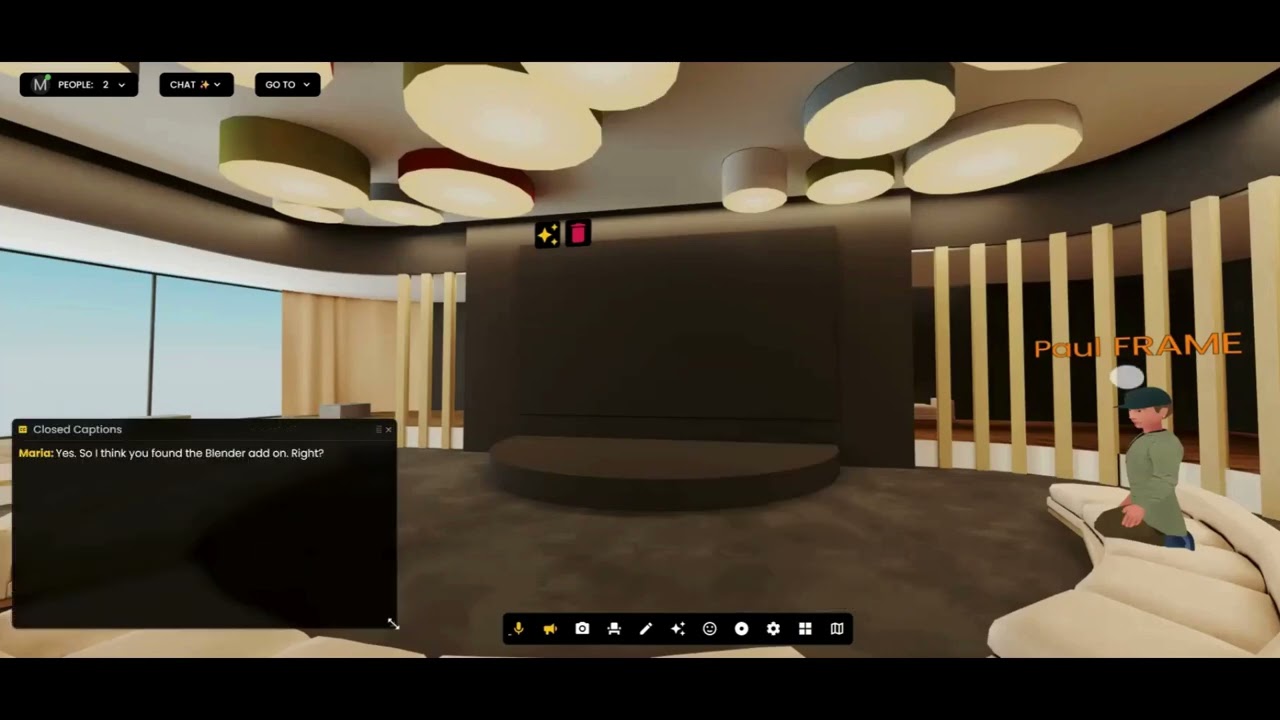
To help make it easy for people to just come together around a table, we've introduced a new "Seat" asset. As a Frame admin or editor, you can set seats up anywhere in your Frame that you want. Wherever there is a seat, users can click and they will be able to teleport right there. You can also link a user directly to a seat by sending them a special link. When users click it, they will spawn right into that seat.
Convention Center
There's a really sweet new environment called the Convention Center. It's got lots of booths on the ground floor, some collaboration/networking areas outside and on the second floor.
Duplicate Models? Bring It
We always want to bring more 3D models into Frame. This is a tough one, because we try to balance customizability with performance. The more things you bring into your Frame, then the more likely it is that those on mobile devices or lower-end hardware may have a hard time loading it.
That said, we know that often people bring multiple copies of the same 3D model into their Frame. We're happy to say that we can handle this much more efficiently now, so bringing in many copies of the same 3D model from your inventory won't come with a huge hit in performance. Got a tree and want to make a forest? Please do.
Odds and Ends
You can also rename many of your assets in the Asset Edit menu, you can right click on the microphone icon in the toolbar to change your microphone input while you're inside of Frame, you can rotate your private voice zones, and Frame will load much faster for those that are loading Frame for the first time. You can also put regular web links into the "Go To Menu", so if you want to link out to Mozilla Hubs or Spatial or some other piece of the metaverse - go for it. That's what the metaverse is all about, for those that see it as an interconnected web of different experiences.
In Closing
As usual, we can't wait to show you what's coming next. We have some things in store that will make Frame easier, more powerful, and more delightful. We also have some things in store that will deeply surprise those who are skeptical about what can be achieved in the web browser.
From everyone at Frame, we wish you happy holidays and a wonderful new year!
Ready to Transform Your Meetings?
Experience the future of collaboration in immersive 3D spaces.
Try Frame Free